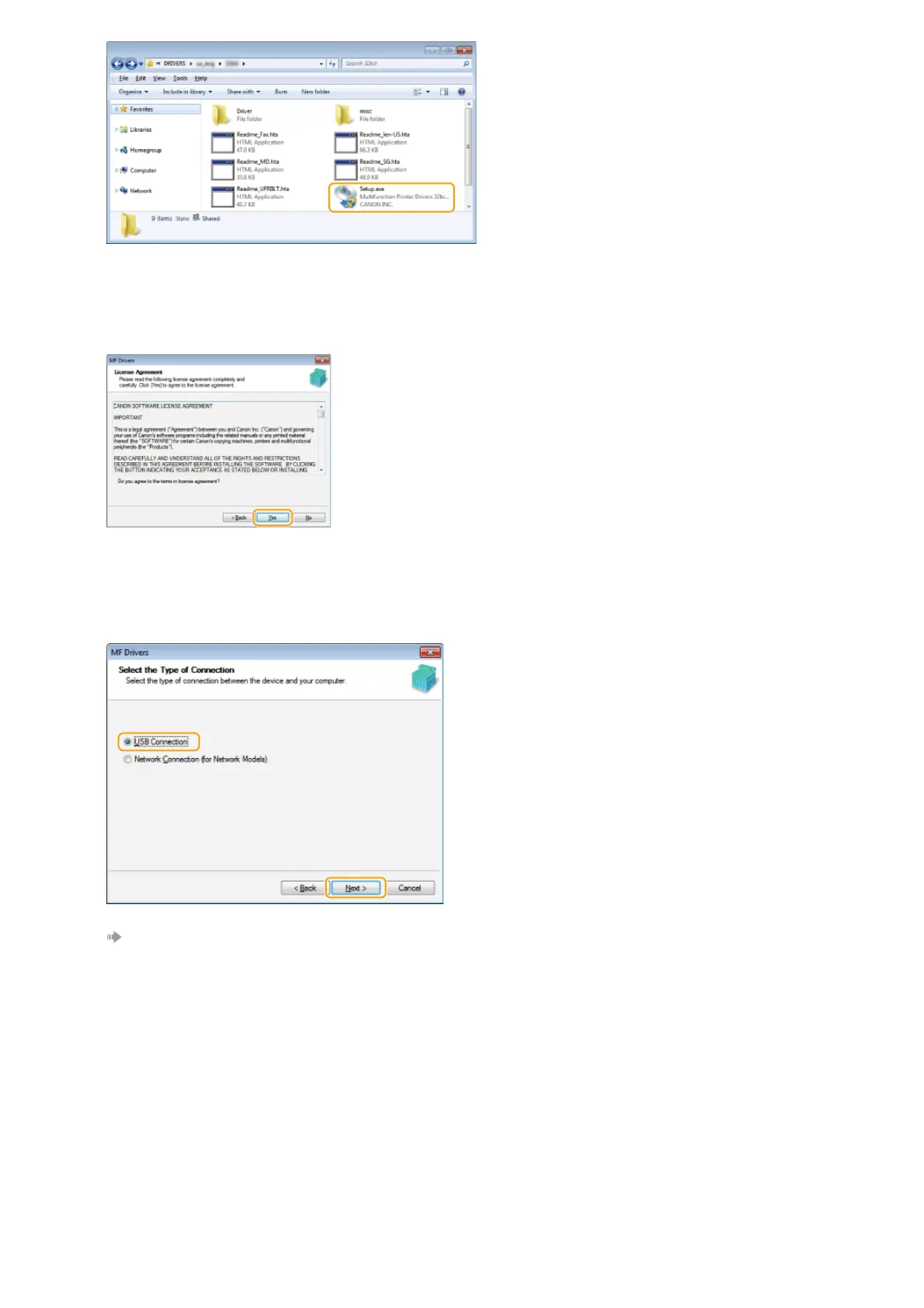
Click [Next].
Read the License Agreement, and click [Yes] to agree.
Select the connection method with the computer.
USB Connection
Select [USB Connection], and click [Next].
Installation of the drivers starts. Proceed to step 17.
Wired/Wireless LAN Connection
Select [Network Connection], and click [Next].
8
9
10
㻞㻝㻌㻛㻌㻠㻣








 To Next Page