151
Contents
Preparation/
Setup
Print Using a
Computer
Appendix
IndexPrint/SaveInput/Edit
Names of
Components
Maintenance/
Printer Settings
Trouble-
shooting
3
Wipe the inside of the printer.
Wipe the printer with a cloth moistened with water and wrung out tightly.
Use a lint-
free cloth.
Allow the water to dry completely before proceeding to the next step.
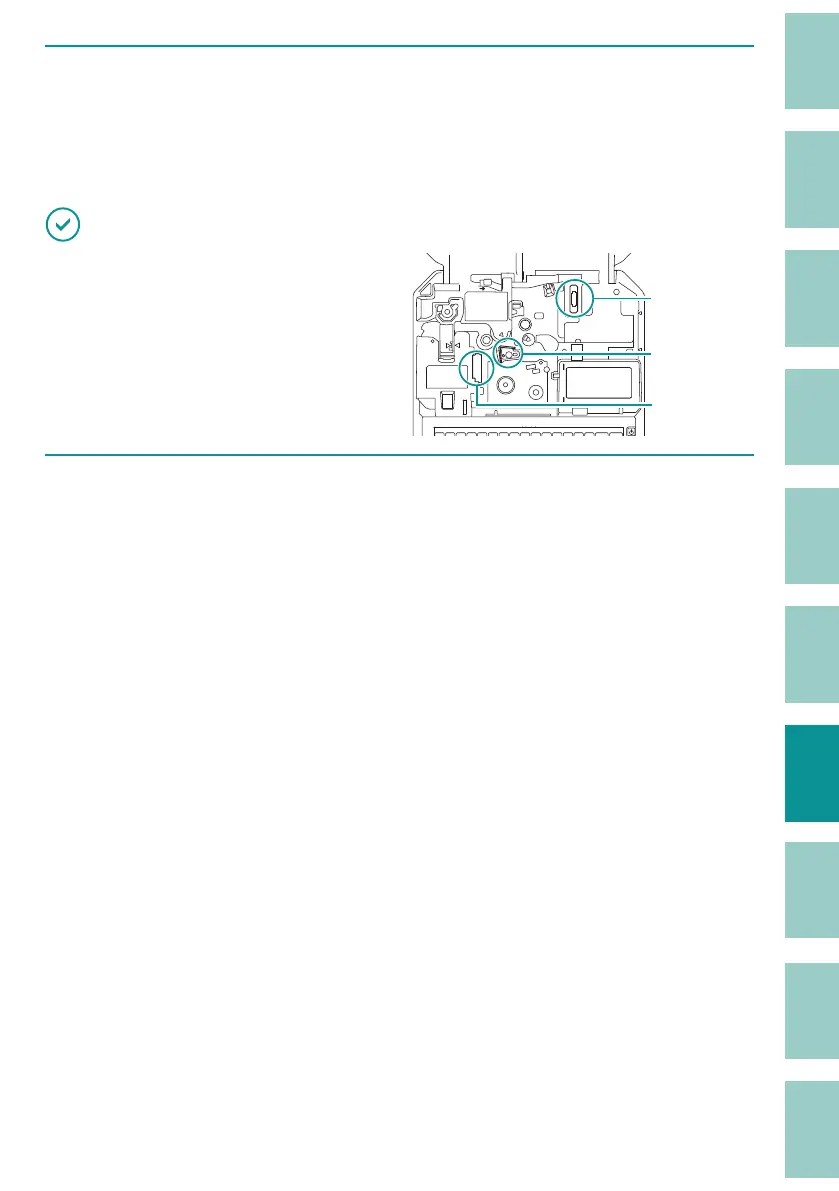
IMPORTANT
• Do not touch the ink ribbon connector, print
head, or connector for tube warmer inside the
printer. Doing so may result in malfunction of
the product.
Connector for
tube warmer
Print head
Connector for
ribbon cassette
4
When you have nished cleaning, return the cutter to its original position and
close the cover.



 To Next Page