35
Contents
Preparation/
Setup
Print Using a
Computer
Appendix
IndexPrint/SaveInput/Edit
Names of
Components
Maintenance/
Printer Settings
Trouble-
shooting
Changing the Temperature Setting of the Tube Warmer
If you cannot print correctly even with the tube warmer (for example, printing is blurred), change
the temperature setting of the tube warmer. The default setting is "Mid."
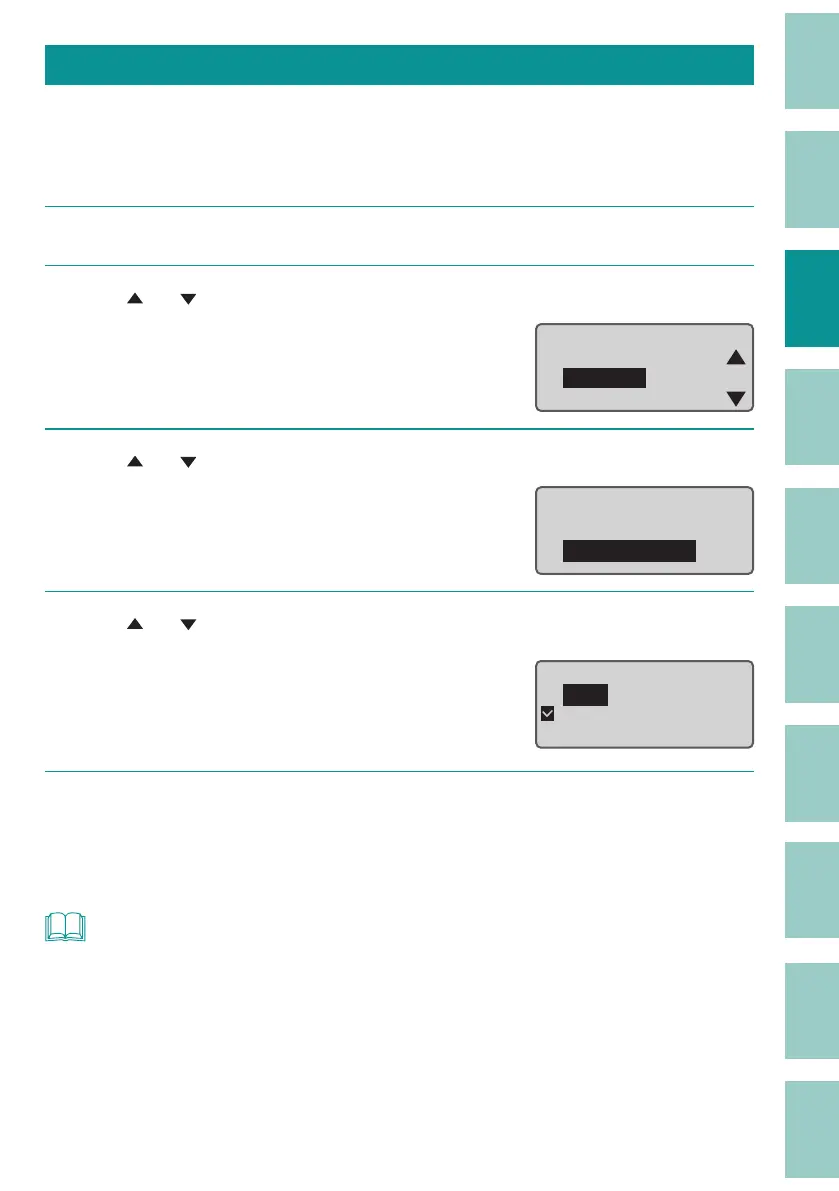
[Example] Printing is blurred, so set the tube warmer temperature to "High."
1
Press the [Option] key.
2
Use
[ ] or [ ]
to select "Warmer," and then press the [Enter] key.
ɻɻ
Option
Connect
Warmer
Character Edit
3
Use
[ ] or [ ]
to select " Warmer Temp.," and then press the [Enter] key.
Warmer
Warmer Control
Warmer Temp.
4
Use
[ ] or [ ]
to select "High," and then press the [Enter] key.
The temperature can be adjusted to three levels:
"High," "Mid," and "Low.
Warmer Temp.
High
Mid
Low
5
Press the [Shift]+[Cancel] keys.
The display returns to the character input
display.
NOT
• We recommend using the AC adapter when printing with the tube warmer, as it drains the batteries
quickly. Also, if you want to print with less battery drain, set the warmer temperature to "Low."



 To Next Page