166
Contents
Preparation/
Setup
Print Using a
Computer
Appendix
IndexPrint/SaveInput/Edit
Names of
Components
Maintenance/
Printer Settings
Trouble-
shooting
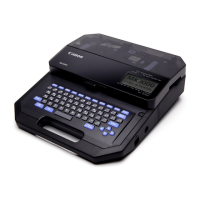
Initializing this Printer
Restores all settings to their original settings. (Initializes the printer)
IMPORTANT
• The all current data and saved les will be erased when initialized. Erased data and les cannot be
restored.
1
Turn o the power.
(P.17)
2
While pressing the [Delete] key, press and hold the power key for at least one
second.
A con rmation screen for initialization will
appear.
3
Select "Yes" with [ ] or [ ] and press the [Enter] key.
After "Resetting..." is displayed, the power will
turn o .
Reset all settings ?
Yes No


 To Next Page