163
Contents
Preparation/
Setup
Print Using a
Computer
Appendix
IndexPrint/SaveInput/Edit
Names of
Components
Maintenance/
Printer Settings
Trouble-
shooting
■
Adjusting the Brightness of the Backlight (Adapter/Battery)
The backlight brightness can be set for each power source used, with the default setting being
"4" when using the AC adapter and "1" when using batteries.
1
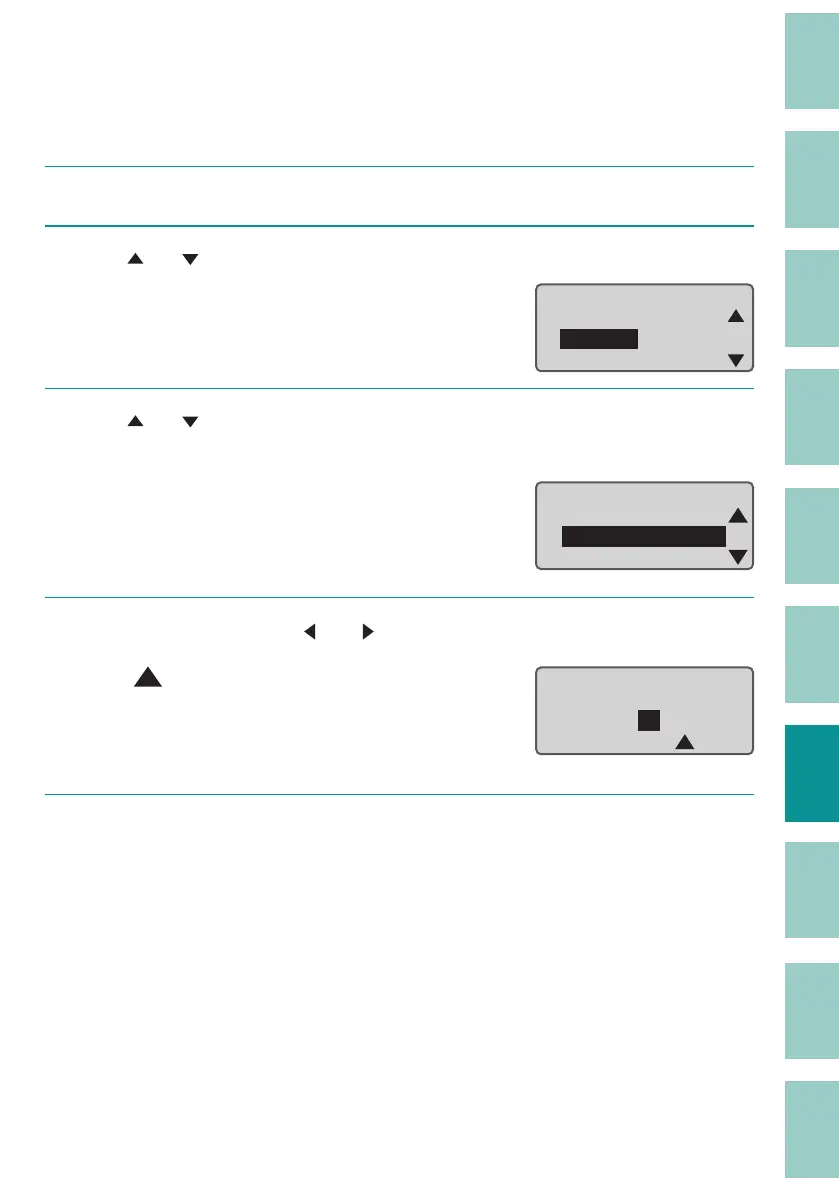
Press the [Option] key.
2
Use [ ] or [ ] to select "Setting," and press the [Enter] key.
Option
Others
Print adjust
Setting
ɻ
3
Use [ ] or [ ] to select " Backlight (ADPTR)" (or " Backlight (BAT)") and press
the [Enter] key.
Setting
Display contrast
Backlight (ADPTR)
Backlight (BAT)
4
Select the brightness by [ ] or [ ] and press the [Enter] key.
A " " mark will be displayed under the current
setting.
The backlight brightness can be set in the range
of 1 (dar
kest) to 4 (brightest).
Backlight (Adapter)
ɻɻ
1ɻ2ɻ3 ɻ4
5
Press the [Shift]+[Cancel] keys.
The display returns to the character input
display.



 To Next Page