19
Contents
Preparation/
Setup
Print Using a
Computer
Appendix
IndexPrint/SaveInput/Edit
Names of
Components
Maintenance/
Printer Settings
Trouble-
shooting
3
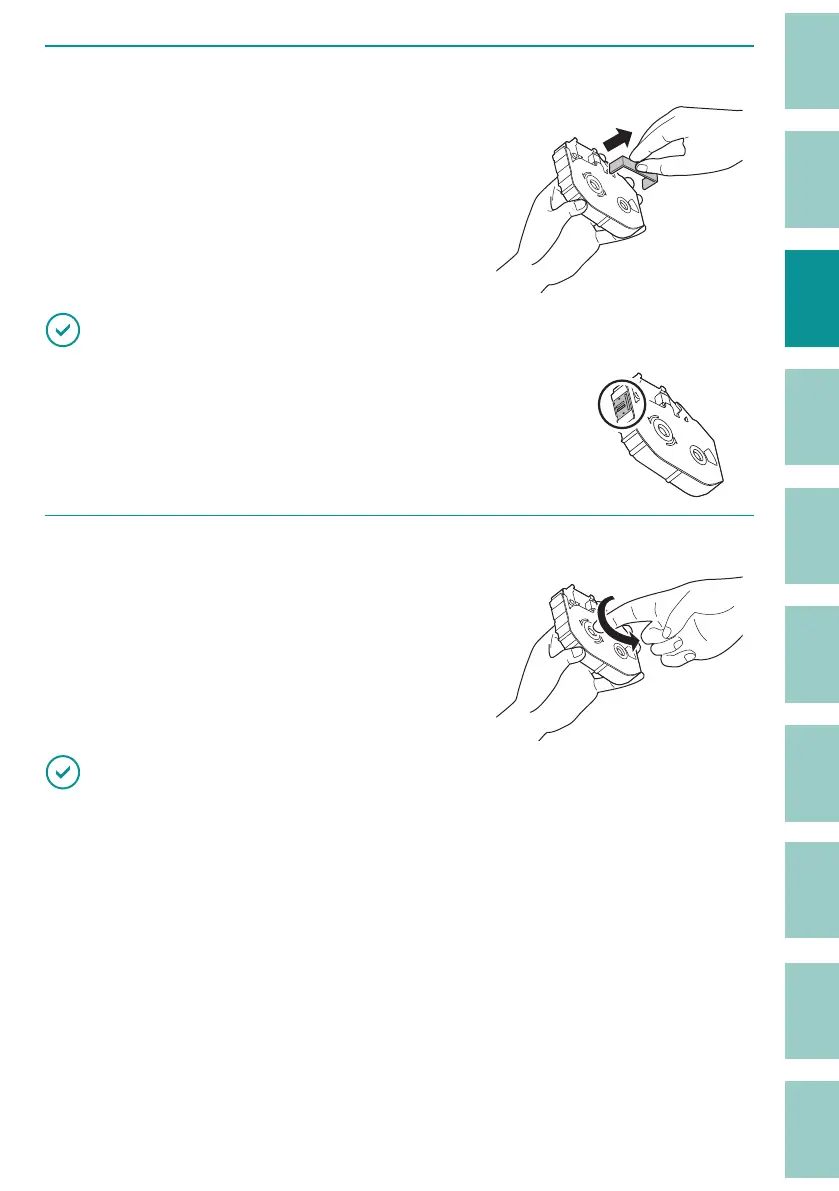
Remove the new ribbon cassette packing material.
IMPORTANT
• Do not touch the IC chip on the ribbon cassette. Doing so may
render the ribbon cassette information unreadable.
4
Remove any slack in the ribbon.
IMPORTANT
• If the ribbon is loose, it may not operate properly.



 To Next Page