28
Contents
Preparation/
Setup
Print Using a
Computer
Appendix
IndexPrint/SaveInput/Edit
Names of
Components
Maintenance/
Printer Settings
Trouble-
shooting
■
For Other Print Media
1
Turn on the power.
(P.15)
2
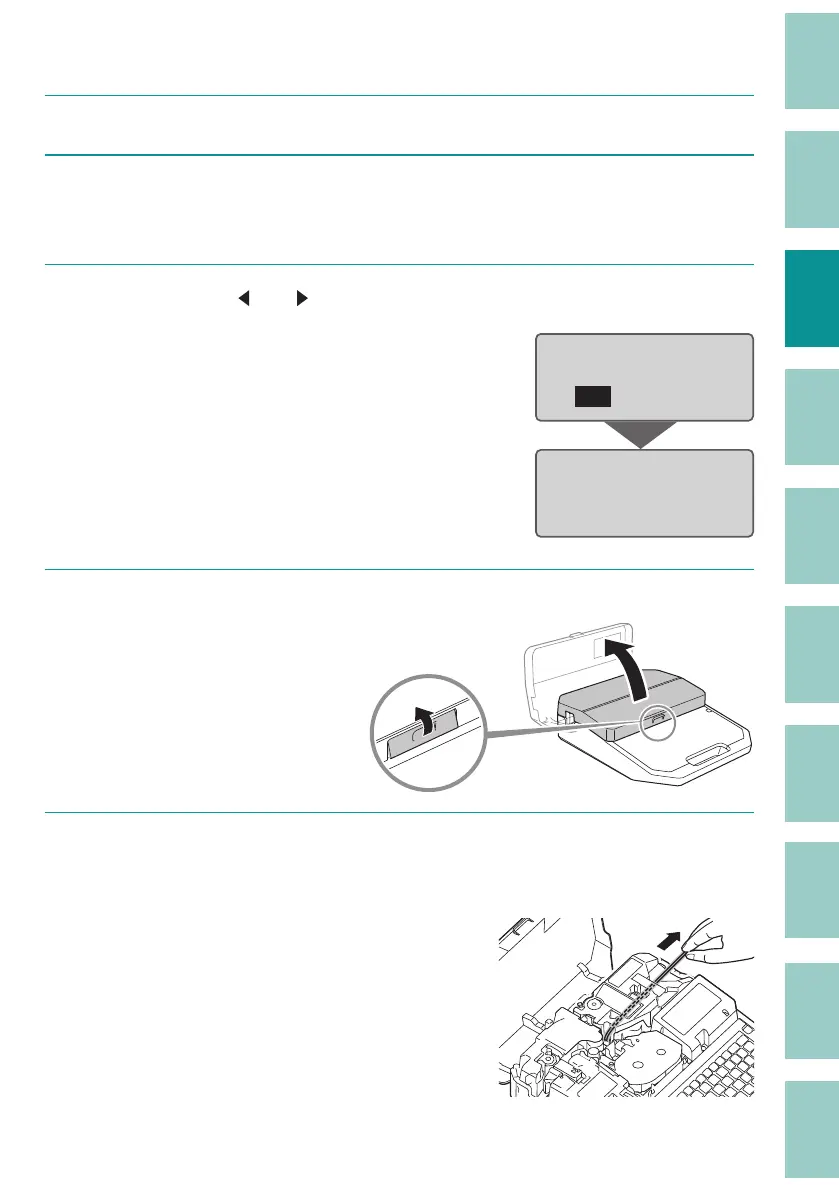
Press the [Remove] key.
The following screen will be displayed.
3
Select "Yes" with [ ] or [ ] and press the [Enter] key.
The print media will be rotated backwards.
Unload print media?
Yes No
Unloading…
4
Open the cover.
5
(When using a tube)
Pull out the tube.
If the tube cannot be removed, close the cover
and press the [Remove] key again.



 To Next Page