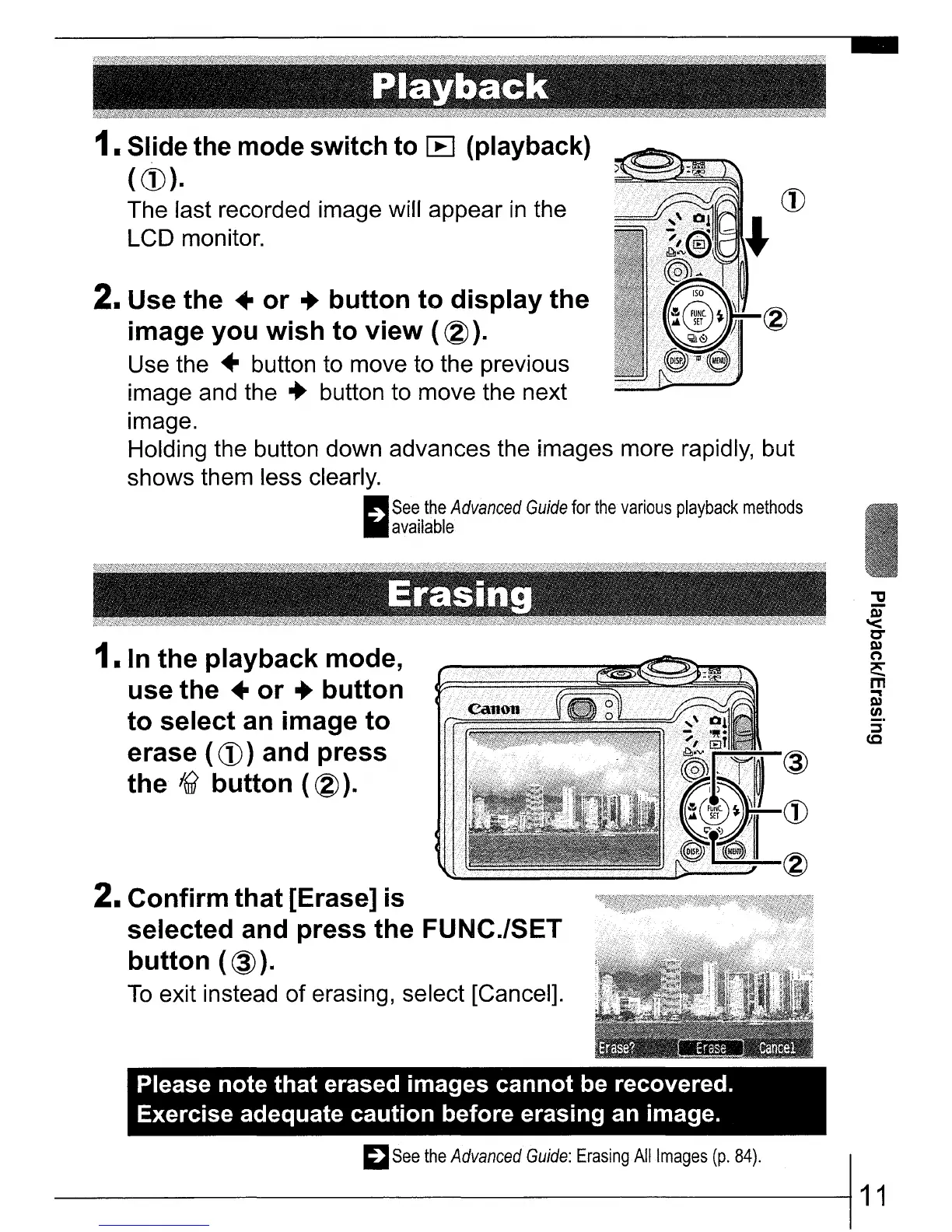
1.
Slide the mode switch to
l:B
(playback)
((])).
The last recorded image will appear
in
the
LCD monitor.
2. Use the
..
or
..
button to display the
image you wish to view (
@).
Use the
..
button to move to the previous
image and the
..
button to move the next
image.
Holding the button down advances the images more rapidly, but
shows them less clearly.
(III!!!lIII
See
the
Advanced
Guide
for
the
various
playback
methods
"available
1. In the playback mode,
use the
..
or
..
button
to select an image to
erase ( (])) and press
the
16?
button ( @
).
2. Confirm that [Erase] is
selected and press the FUNC.lSET
button
(@).
To
exit instead of erasing, select [Cancel].
Please note that erased images cannot be recovered.
Exercise adequate caution before erasing an image.
~See
the
Advanced
Guide:
Erasing
All
Images
(p.
84).
I
----------11















 To Next Page