Replaying
Movies
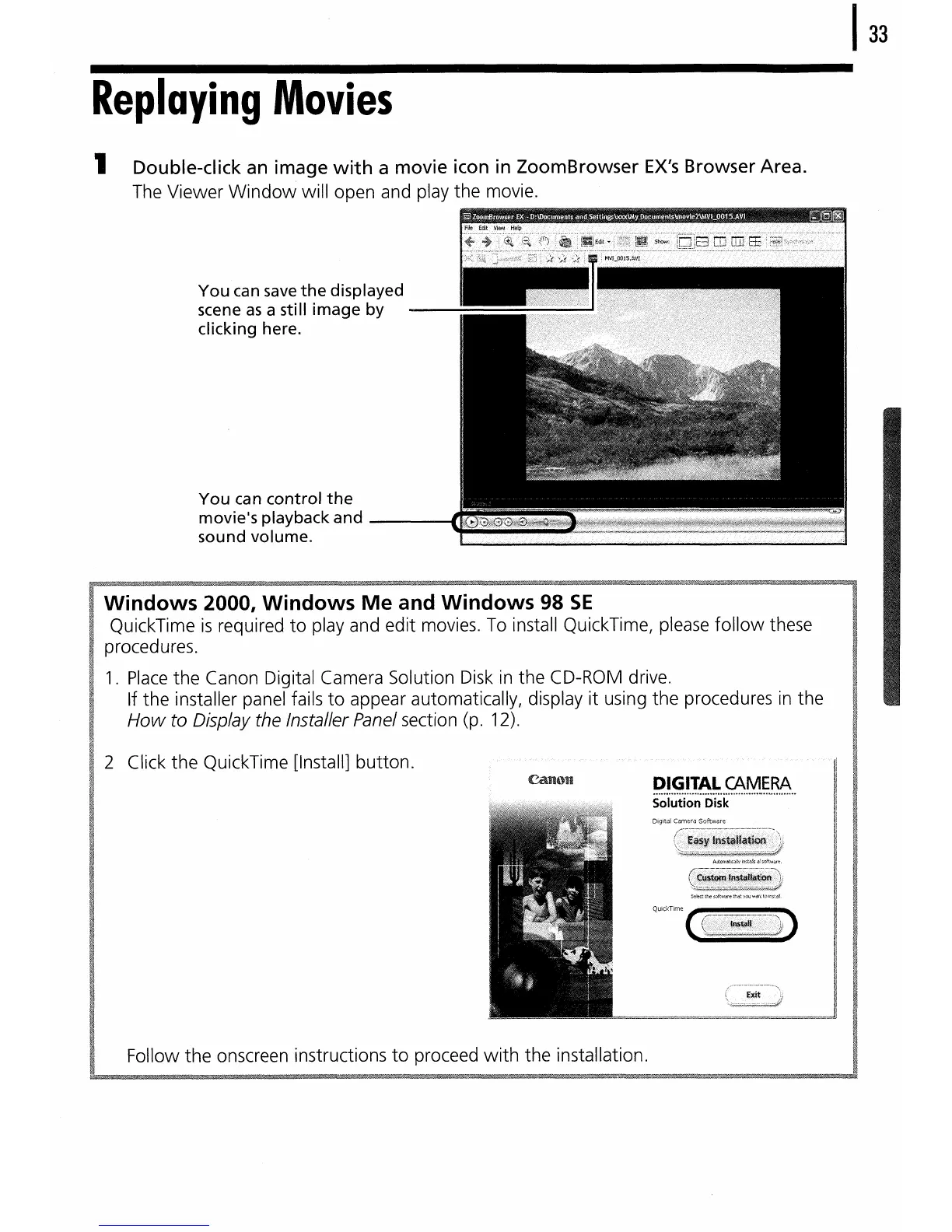
1 Double-click an image
with
a movie icon in ZoomBrowser
EX's
Browser Area.
The Viewer
Window
will open and play the movie.
You
can
save
the
displayed
scene
as
a still
image
by
--iiir~~~~
:~,"i,
~t?'j~;i5~~i~+~
clicking here.
You
can
control
the
movie'splaybackand
-~~~~~~~~~~~~~~~~~~~~~
sound volume.
Windows 2000, Windows
Me
and Windows 98
SE
QuickTime
is
required
to
play and edit movies.
To
install QuickTime, please
follow
these
procedures.
1.
Place
the Canon Digital Camera Solution Disk
in
the CD-ROM drive.
If the installer panel fails
to
appear automatically, display
it
using the procedures
in
the
How
to Display the Installer Panel section (p. 12).
2 Click
the
QuickTime [Install] button.
Digital Camera Software
Follow
the
onscreen instructions
to
proceed
with
the installation.















 To Next Page