EasyManua.ls Logo

Canon PowerShot SD600 - Printing Images in the Fixed Size

Canon PowerShot SD600
347 pages
Print Icon
To Next Page IconTo Next Page
To Previous Page IconTo Previous Page
Loading...
24
Printing
Images in
the
Fixed Size
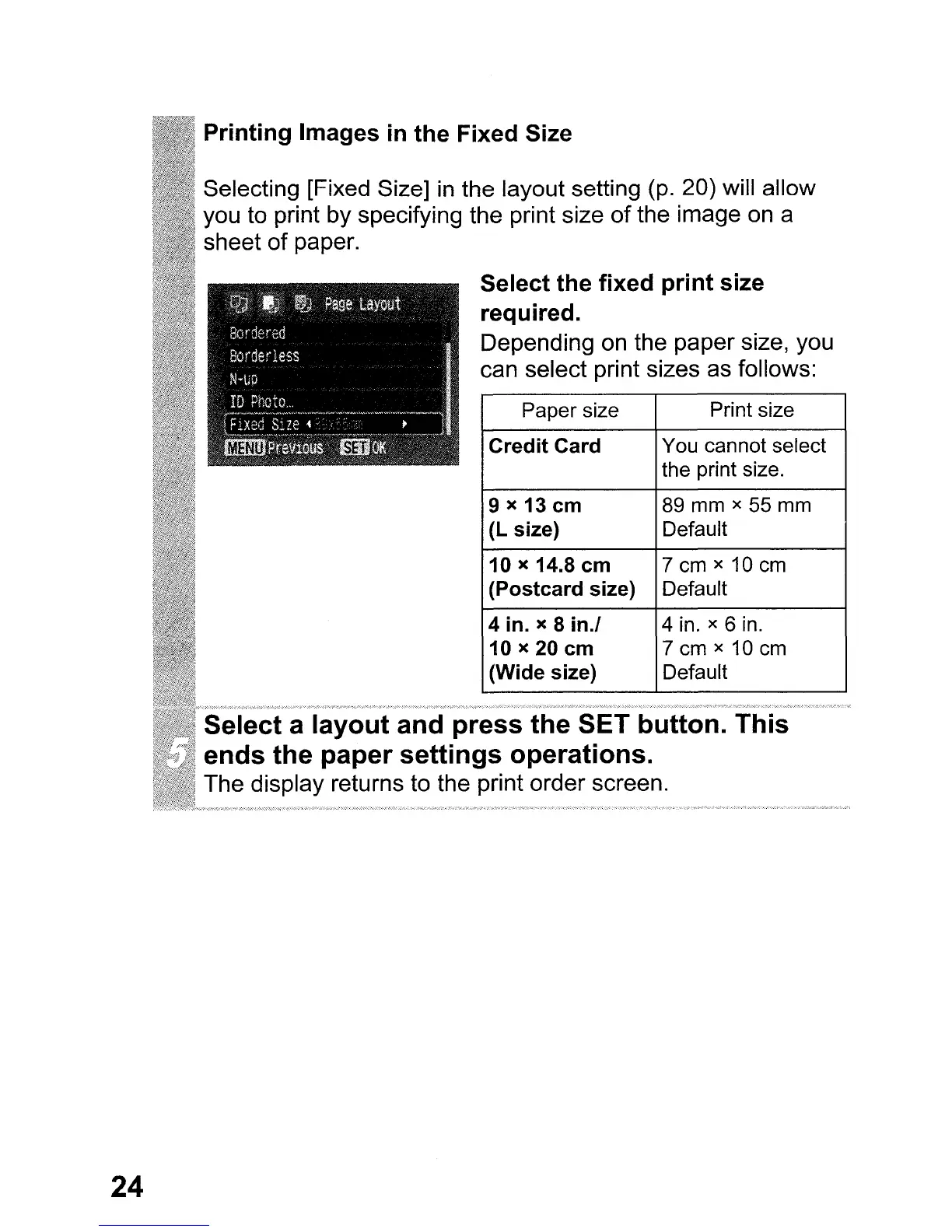
Selecting [Fixed Size]
in
the layout setting
(p.
20) will allow
you to print by specifying the print size
of
the image
on
a
sheet of paper.
Select the
fixed
print
size
required.
Depending
on
the paper size, you
can select print sizes as follows:
Paper size
Print size
Credit
Card
You cannot select
the print size.
9 x 13 em
89 mm x 55 mm
(L size)
Default
10 x 14.8 em
7
em
x 10
em
(Postcard size)
Default
4 in. x 8 in.!
4 in. x 6 in.
10 x 20 em 7
em
x 10
em
(Wide size)
Default
a
layout
and
press
the
SET button.
This
ends
the
paper
settings
operations.
The display returns to the print order screen.

Table of Contents

Related product manuals