741
Appendices
Uninstalling
the
Software
The procedures
for
uninstalling the software are only required when you wish
to
delete the
programs
from
your computer
or
when reinstallation
is
required
to
fix corrupted files.
Software
Installed
from
the
Canon
Digital
Camera
Solution
Disk
(excluding
ArcSoft
PhotoStudio)
This explanation
uses
ZoomBrowser
EX
to
demonstrate
how
to
uninstall a program. You
can
remove
other
programs
with
the same procedures.
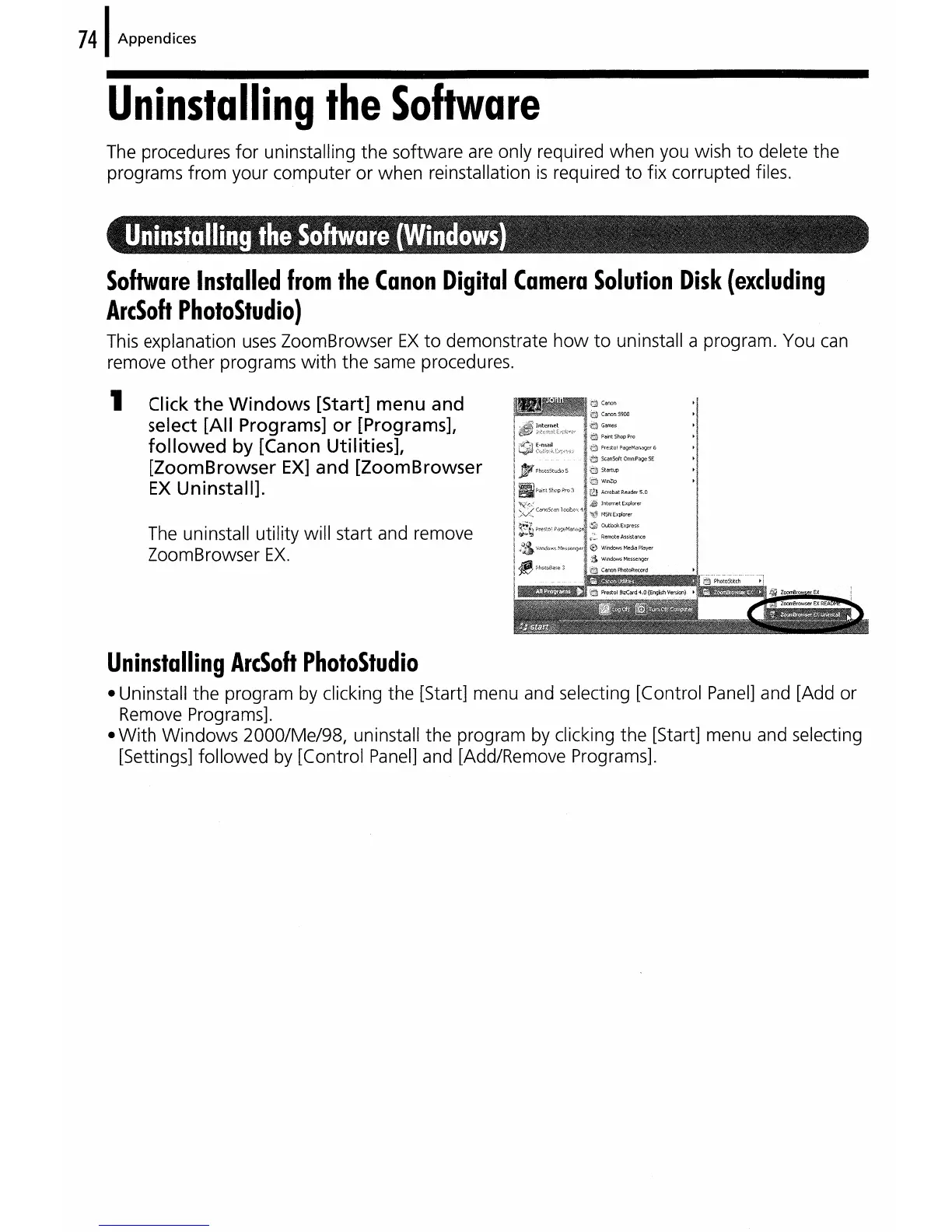
1 Click
the
Windows
[Start] menu and
select [All Programs] or [Programs],
followed
by
[Canon Utilities],
[ZoomBrowser
EX]
and [ZoomBrowser
EX
Uninstall].
The uninstall utility will start and remove
ZoomBrowser
EX.
Uninstalling
ArcSoft
PhotoStudio
• Uninstall the program by clicking the [Start] menu and selecting [Control
Panel]
and [Add or
Remove Programs].
•
With
Windows
2000/Me/98, uninstall the program by clicking the [Start] menu and selecting
[Settings] followed by [Control Panel] and [Add/Remove Programs].















 To Next Page