Setting
the
World
Clock
I
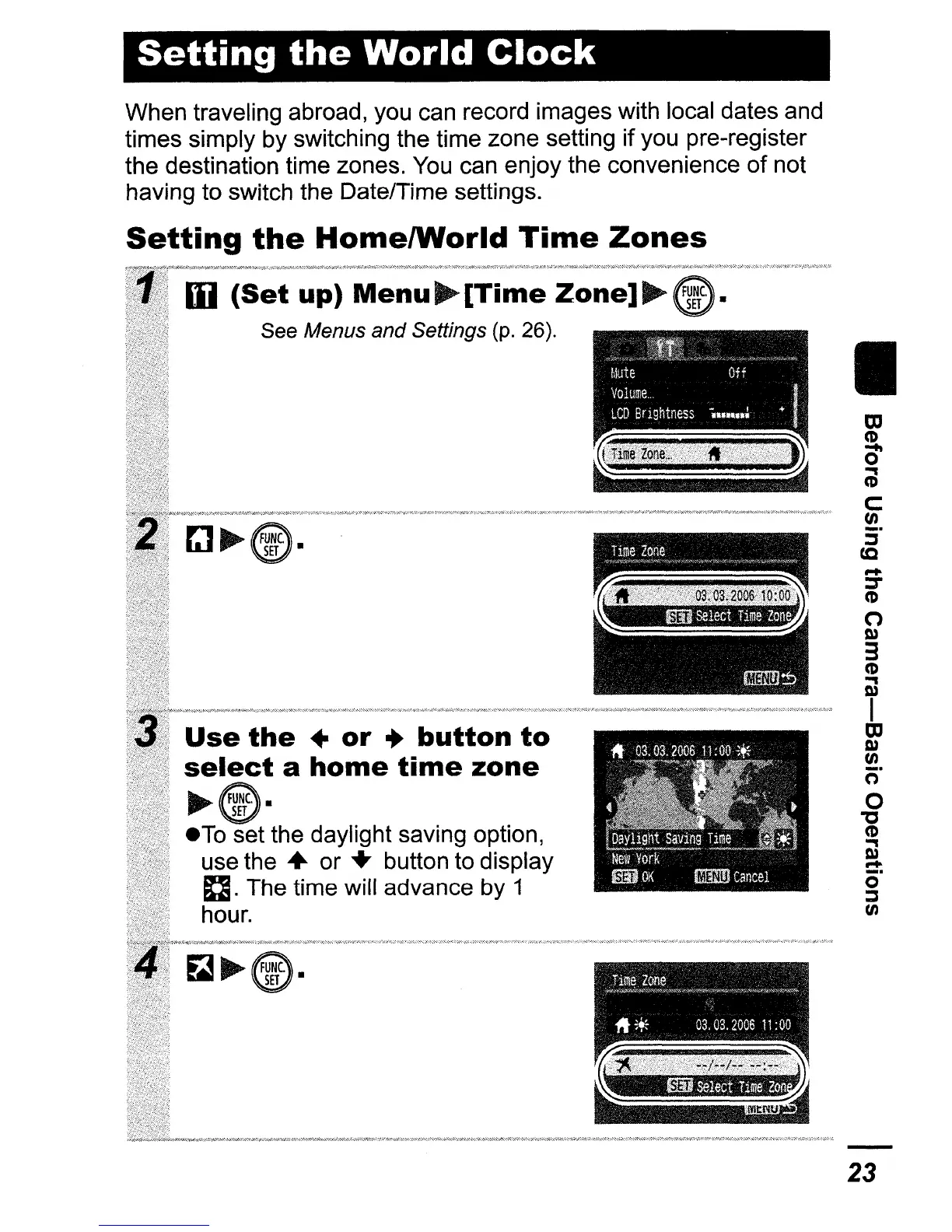
Use
the
•
or
•
button
to
select
a
home
time
zone
~@.
eTo
set the daylight saving option,
use the
..
or
..
button to display
n.
The time will advance by 1
hour.
When traveling abroad, you can record images with local dates and
times simply by switching the time zone setting
if
you pre-register
the destination time zones. You can enjoy the convenience
of
not
having to switch the Date/Time settings.
Setting
the
HomelWorld
Time
Zones
III
(Set
up)
Menu~[Time
Zone]"'"
See Menus and Settings (p. 26).
23















 To Next Page