Shooting
Changing the Recording Pixels and Com-
pression
(Still
Images)
[!]
FUNC.
Menu
11*
(Recording
Pixels)/!:]*
(Compression).
See
Menus and Settings (p. 25).
* Default setting.
• Use the • or
..
button to select
recording pixels/compression set-
tings and press the FUNC.lSET
button.
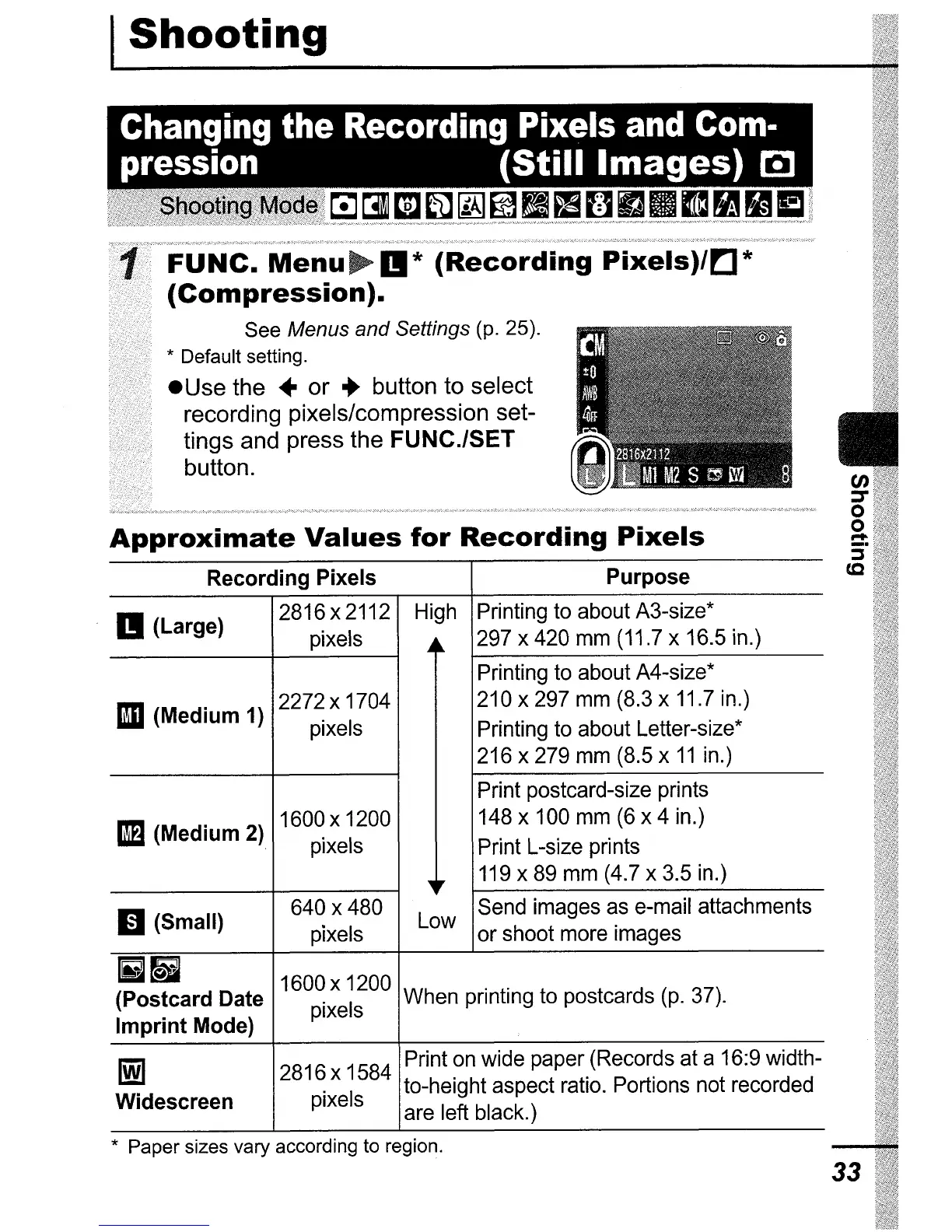
Approximate
Values
for
Recording
Pixels
Recording Pixels Purpose
II
(Large)
2816 x 2112 High Printing to about A3-size*
pixels
..
n.
297 x 420 mm (11.7 x 16.5 in.)
Printing to about A4-size*
1m
(Medium 1)
2272 x 1704
210 x 297 mm (8.3 x 11.7 in.)
pixels
Printing to about Letter-size*
216 x 279 mm (8.5 x
11
in.)
Print postcard-size prints
1m
(Medium 2)
1600 x 1200
148 x 100 mm (6 x 4 in.)
pixels
Print L-size prints
~,.
119 x 89 mm (4.7 x 3.5 in.)
m(Small)
640 x 480
Low
Send images as e-mail attachments
pixels
or
shoot more images
Iii~
1600 x 1200
(Postcard Date
pixels
When printing to postcards (p. 37).
Imprint Mode)
1m
2816 x 1584
Print on wide paper (Records at a 16:9 width-
Widescreen
pixels
to-height aspect ratio. Portions not recorded
are left black.)
* Paper sizes vary according to region.
en
::r
o
o
,...
:i"
cc
33















 To Next Page