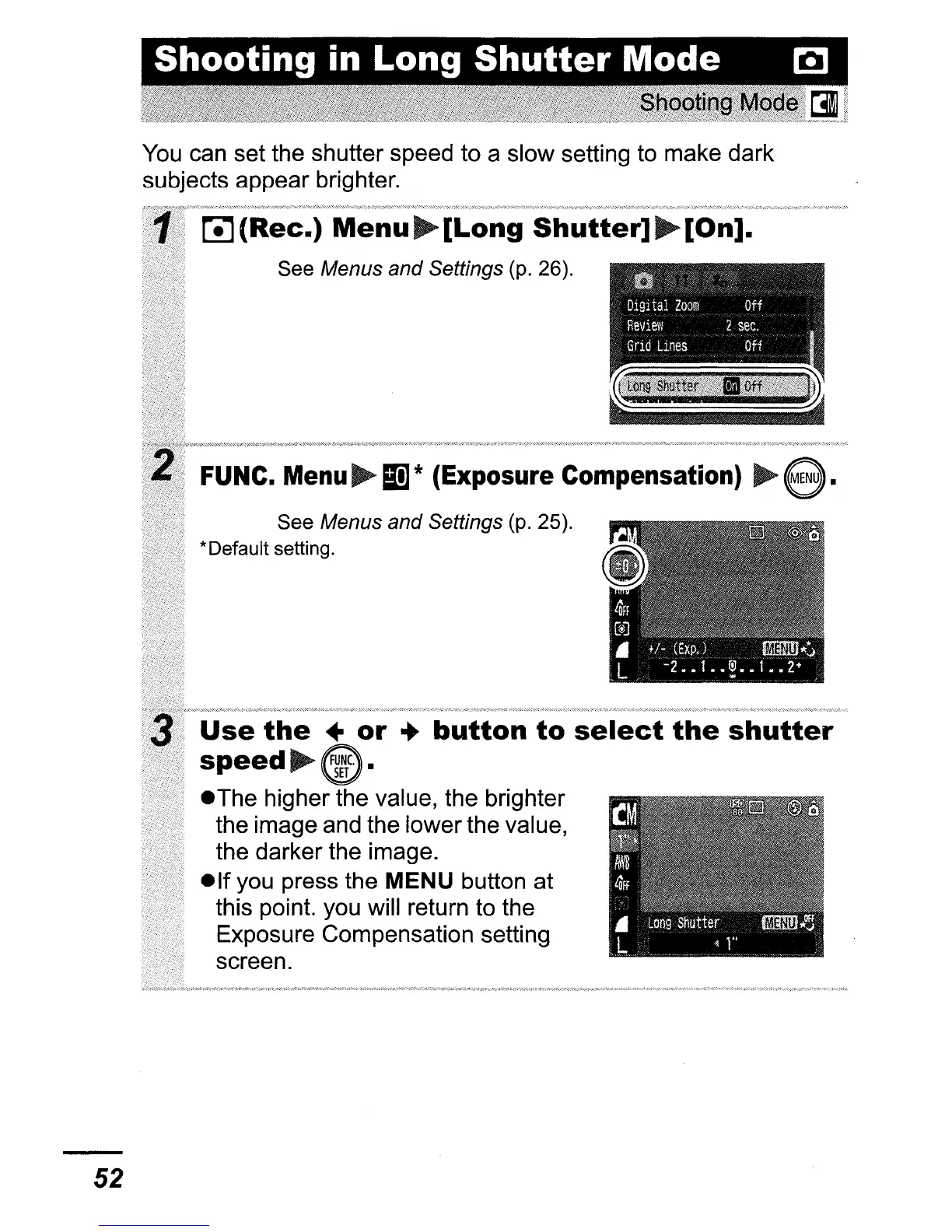
You
can set the shutter speed to a slow setting to make dark
subjects appear brighter.
L!J(Rec.)
Menu~[Long
Shutter]~[On].
See Menus and Settings (p. 26).
FUNC.
Menu
~
S!1
* (Exposure Compensation)
~
e.
See Menus and Settings (p. 25).
*Default setting.
Use
the
..
or
•
button
to
select
the
shutter
speed
@.
eThe higher the value, the brighter
the image and the lower the value,
the darker the image.
elf
you press the MENU button at
this point. you will return to the
Exposure Compensation setting
screen.
52















 To Next Page