Phonebook
Page 48
Phonebook
Add individual contacts
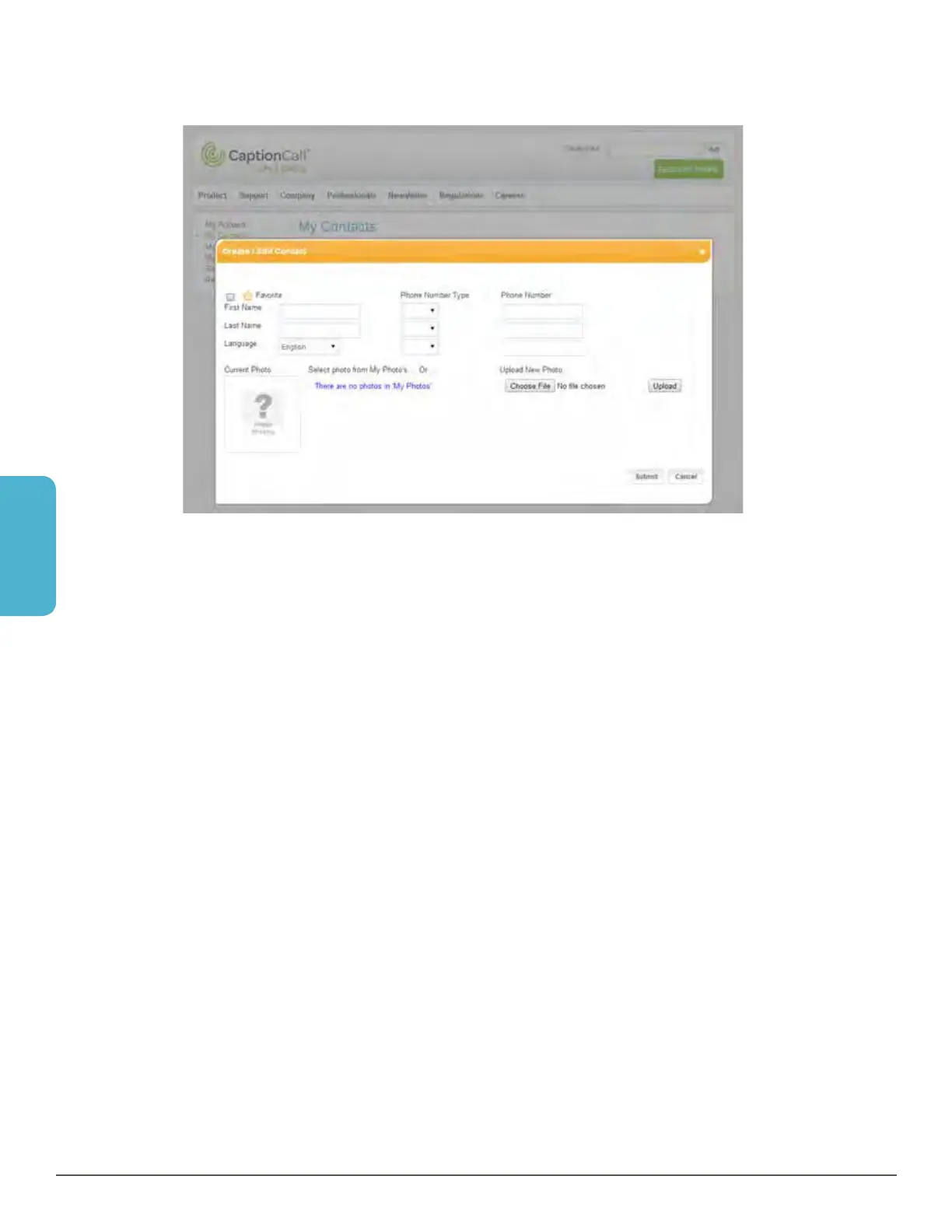
1. Click the Add Contact button. The Create/Edit Contact window will display.
2. Enter the contact information in each of the fields provided.
• Enter the first name and last name
• Phone number types are available to identify the type of phone the number
will dial. The types are: Home, Office and Mobile
• Enter the phone numbers
• Check the box at the top left to add this contact to your Favorites list, or leave
it blank to just add it as a regular contact
• If you have already uploaded photos to the CaptionCall website, they will be
displayed below, and you can select one of those photos for your contact
• If you don’t have a photo of your contact uploaded, click Choose File to select
an image from your computer. A window will open that will let you explore your
computer files for the correct photo. Once you have found it, select it and
click Open. The window will close, and the name of the file will display next to
Choose File
• Once the image has been selected, click the Upload button to add the image
to the contact
3. Click Submit to save your contact.



 To Next Page