57
DIP Switch Settings
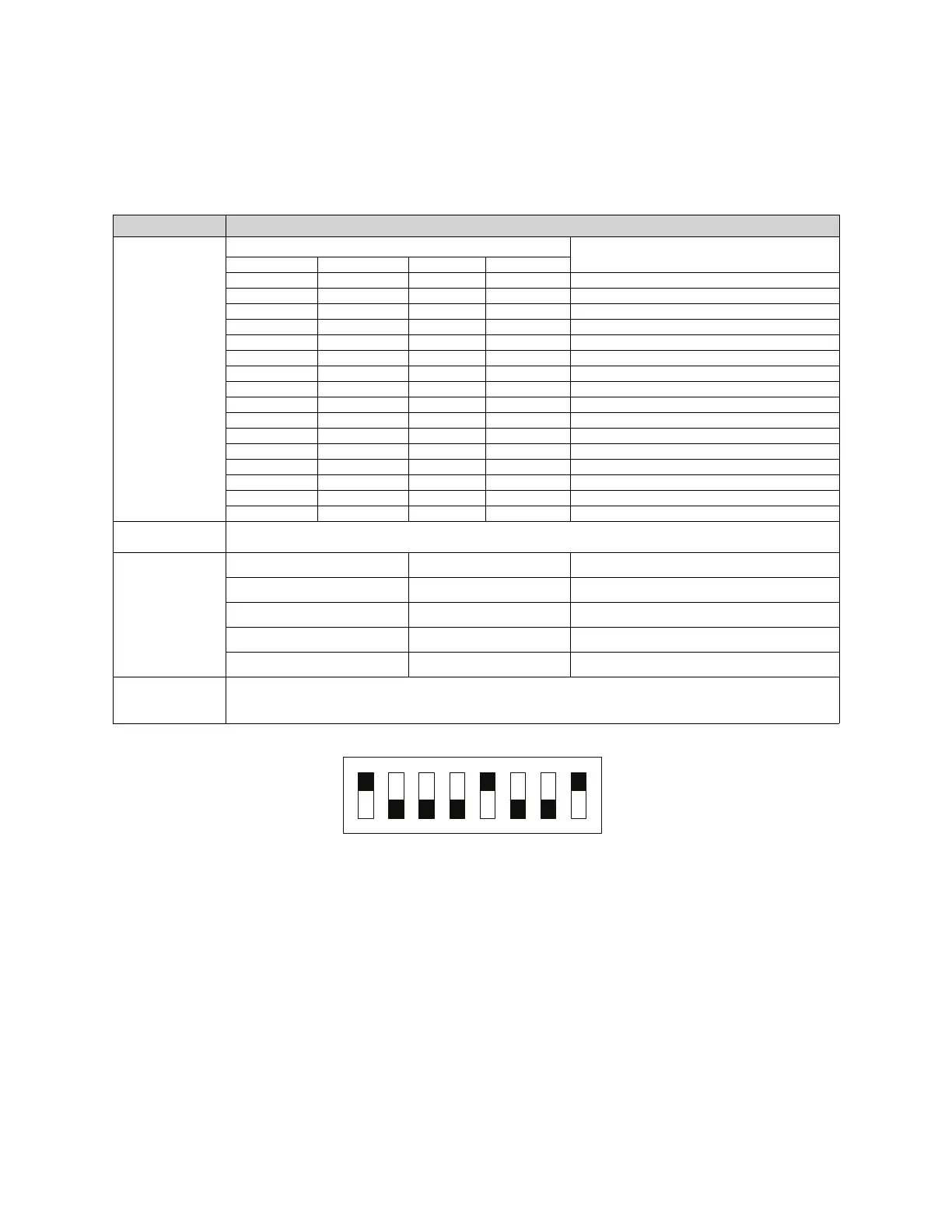
When set from the factory (Figure 50), switches 1, 5, and 8 are in the On (Closed) positions. Switch 2, 3, 4, 6, 7 are
in the Off (Open) position. This should be considered the default positions and should not be changed.
Figure 50 - DIP Switch
• Each unit has a unique address based on the DIP switch 1-4 settings, 15 units max on a network.
• If address is 0 (all switches off), the unit will not accept or send any network traffic.
• The unit that has switch 5 set to on will be the “master” and will be in charge of polling all the units below it and
waiting for a reply. The lack of 3 replies in a row will cause an “interlock network supervision fault.” All units will
be polled in a burst every 3 seconds.
• For all non-master units, the lack of being polled for 10 seconds will cause an “interlock network supervision
fault.”
• Any unit detecting a fire condition will broadcast the notification once every second for as long as the condition
persists.
• When the Fire condition is cleared, 10 notifications will be sent, one every second.
• Any unit detecting a supervisory fault will broadcast the notification every 2 seconds until the condition is
cleared.
• When the supervisory fault condition is cleared, 10 notifications will be sent, one every 2 seconds.
Table 19 - DIP Switch Settings
DIP Switch # Description
1 through 4
DIP Switch Position
Interlock Network Address
1234
On Off Off Off 1
Off On Off Off 2
On On Off Off 3
Off Off On Off 4
On Off On Off 5
Off On On Off 6
On On On Off 7
Off Off Off On 8
On Off Off On 9
Off On Off On 10
On On Off On 11
Off Off On On 12
On Off On On 13
Off On On On 14
On On On On 15
Off Off Off Off This unit is not part of an interlock network
5
Set this switch to On (Closed) if this unit has the highest address on the interlock network. Otherwise, this
switch must be Off (Open)
6 and 7
Fire Group
67
Fire Group Number
Off Off
1
On Off
2
Off Open
3
On On
4
8
Setting switch 8 to its On (Closed) position connects a 120 Ohm terminating resistor to the interlock network.
This switch must be On if this unit is at either physical end of the interlock network cable. Otherwise, it must be
Off (Open).
SW1



 To Next Page