CHAPTER 3 – INSTRUMENTS AND CONTROLS
3-6
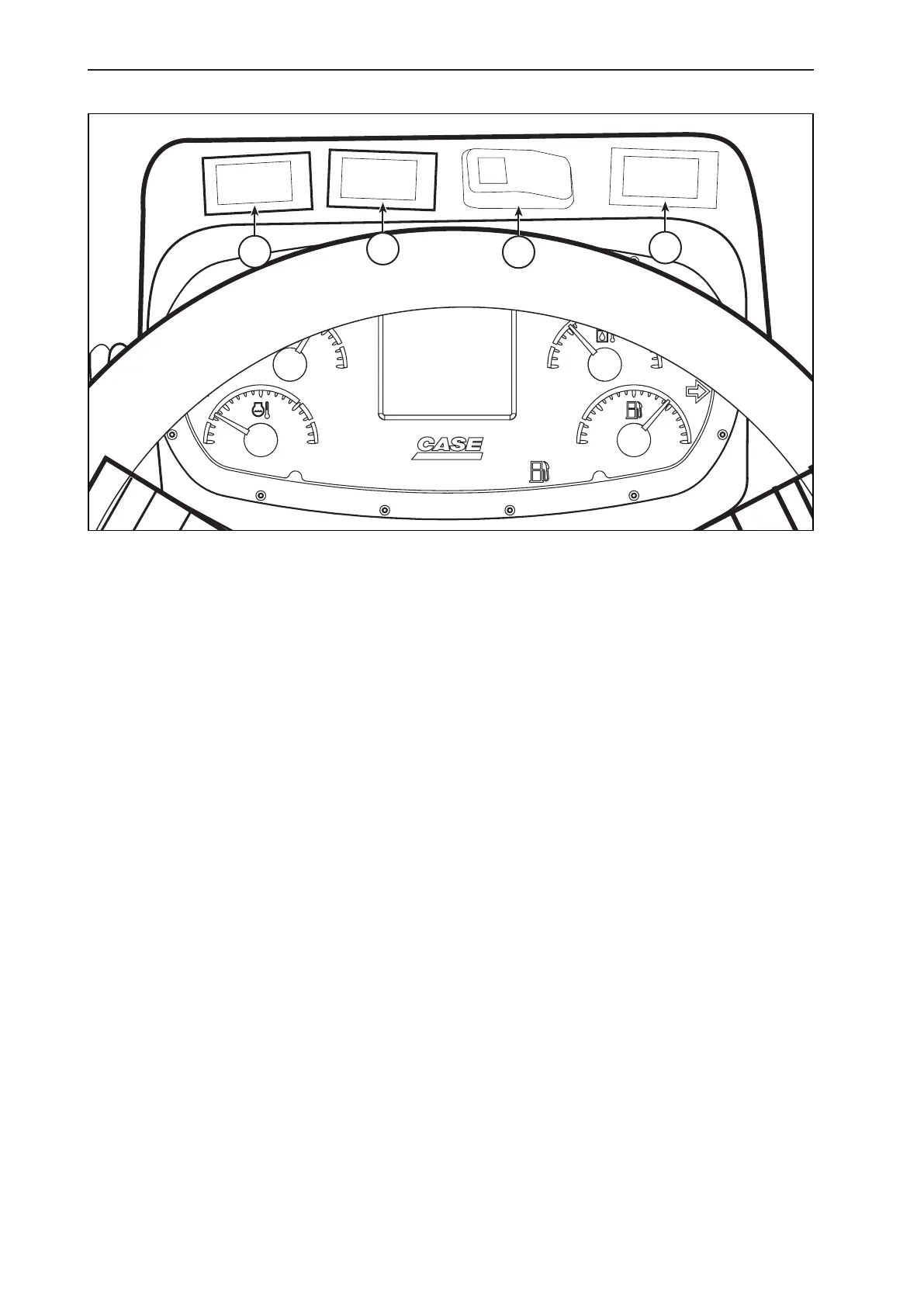
4. FRONT CONSOLE (ABOVE STEERING WHEEL)
A
B
C
D
A. MAIN / LEFT SIDE DOZER FLOATING SWITCH (OPTIONAL)
This switch activates and deactivates the oating function of the main / left side dozer.
It is an on/off type switch, allowing activating and deactivating the oating of the main / left side dozer.
For activating oating, place the switch to the “on’” position, and for deactivating change the switch to the “off”
position.
B. FRONT DOZER FLOATING SWITCH (OPTIONAL)
This switch activates and deactivates the oating function of the front dozer.
It is an on/off type switch, allowing activating and deactivating the oating of the front dozer.
For activating front dozer oating, place the switch to the “on’” position, and for deactivating change the switch to
the “off” position.
C. DIFFERENTIAL LOCK SWITCH
(OPTIONAL FOR 845B MODELS, STANDARD FOR 865B / 885B MODELS).
This switch activates and deactivates the differential lock function.
It is a on/off type switch, allowing activating and deactivating the differential locking.
For activating the differential locking, place the switch to the “on’” position, and for deactivating change the switch
to the “off” position.
D. MAIN / RIGHT SIDE DOZER FLOATING SWITCH (OPTIONAL)
This switch activates and deactivates the oating function of the main / right side dozer.
It is an on/off type switch, allowing activating and deactivating the oating of the main / right side dozer.
For activating the dozer oating, place the switch to the “on’” position, and for deactivating change the switch to the
“off” position.



 To Next Page