Emotron VS Series Quick Start Guide
- 43 -
4.2 Introduction of LED Keypad
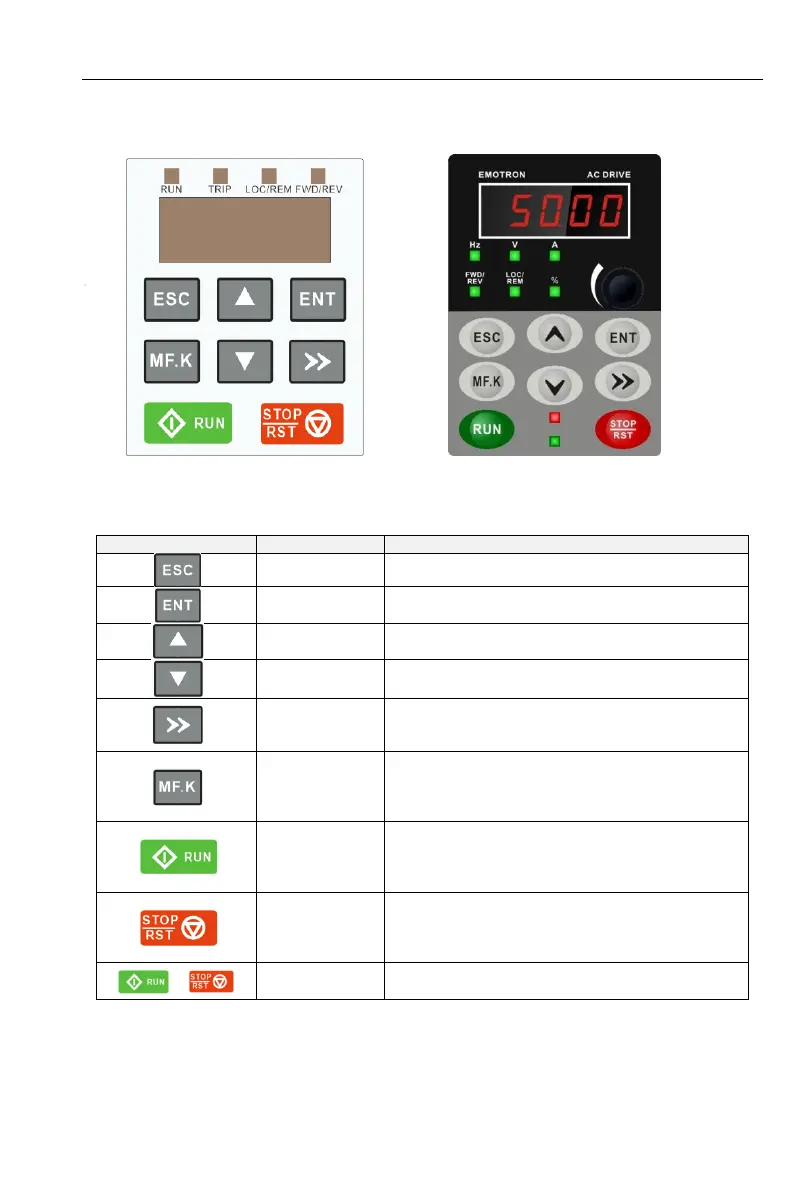
As a human-machine interface, you can modify the parameters, monitor the working status and
start or stop the inverter by operating the keypad. Its appearance and function area as shown in the
following figure:
Fig 4-2(a) VSM Keypad Fig 4-2(b) VSS Keypad
4.2.1 Key and potentiometer Functions on keypad
There are 8 keys and a potentiometer on the keypad, whose functions are as shown in Table 4-1.
Table 4-1 Key functions on keypad
Enter or exit Level I menu
Enter the menu interfaces level by level, and
confirm the parameter setting
Increase data or function code
Decrease data or function code
Select the displayed parameters in turn in the stop
or running state, and select the digit to be modified
when modifying parameters
Perform function switchover (such as jog run and
quick switchover of
command source or direction) according to the
setting of L0.00
Start the inverter in the keypad control mode
Stop the inverter when it is in the running state and
perform the reset operation when it is in the fault
state. The functions of this key are restricted in
L0.01.
The inverter will free stop when the run and stop
key are pressed simultaneously



 To Next Page