Emotron VS Series Quick Start Guide
- 95 -
Output
frequency(Hz)
Set
frequency
b2.13
b2.14
Acceleration
time 2
Time
Acceleration
time 1
Deceleration
time 1
Deceleration
time 2
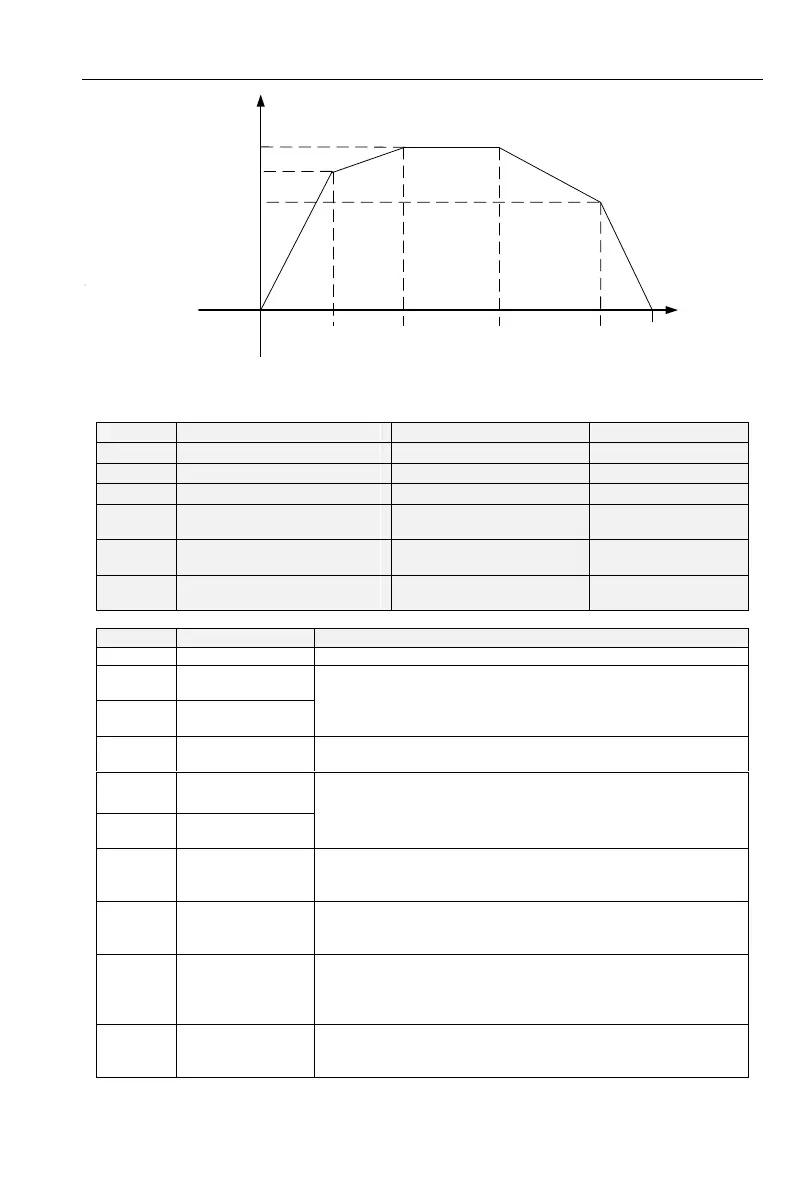
Fig 6-7 Acceleration/deceleration time switchovers
Group C0 Digital Input
Function of terminal DI5
(VSX Only)
Function of terminal DI6
(VSX Only)
Function of terminal DI7
(VSX Only)
Set 0 for reserved terminals to avoid malfunction.
Terminals control forward running and reverse running of the
drive. Refer to C0.15 for enabled conditions on initial power
up.
The terminal determines three-line control of the AC drive. For
details, see the description of C0.15.
FJOG indicates forward JOG running, while RJOG indicates
reverse JOG running. The JOG frequency, acceleration time
and deceleration time are described respectively in b0.07,
b2.08 and b2.09.
The AC drive blocks its output, the motor coasts to rest and is
not controlled by the AC drive. It is the same as coast to stop
described in b1.12.
The terminal is used for fault reset function, it is same as the
function of RESET key on the operation panel. Remote fault
reset is implemented by this function.
The AC drive decelerates to stop, but the running parameters
are all memorized, such as PLC, swing frequency and PID
parameters. After this function is disabled, the AC drive
resumes its status before stop.
Normally open
(NO) input
of external fault
If this terminal becomes ON, the AC drive reports Err13 and
performs the fault protection action. For more details, see the
description of E0.11.



 To Next Page