Emotron VS Series Quick Start Guide
- 48 -
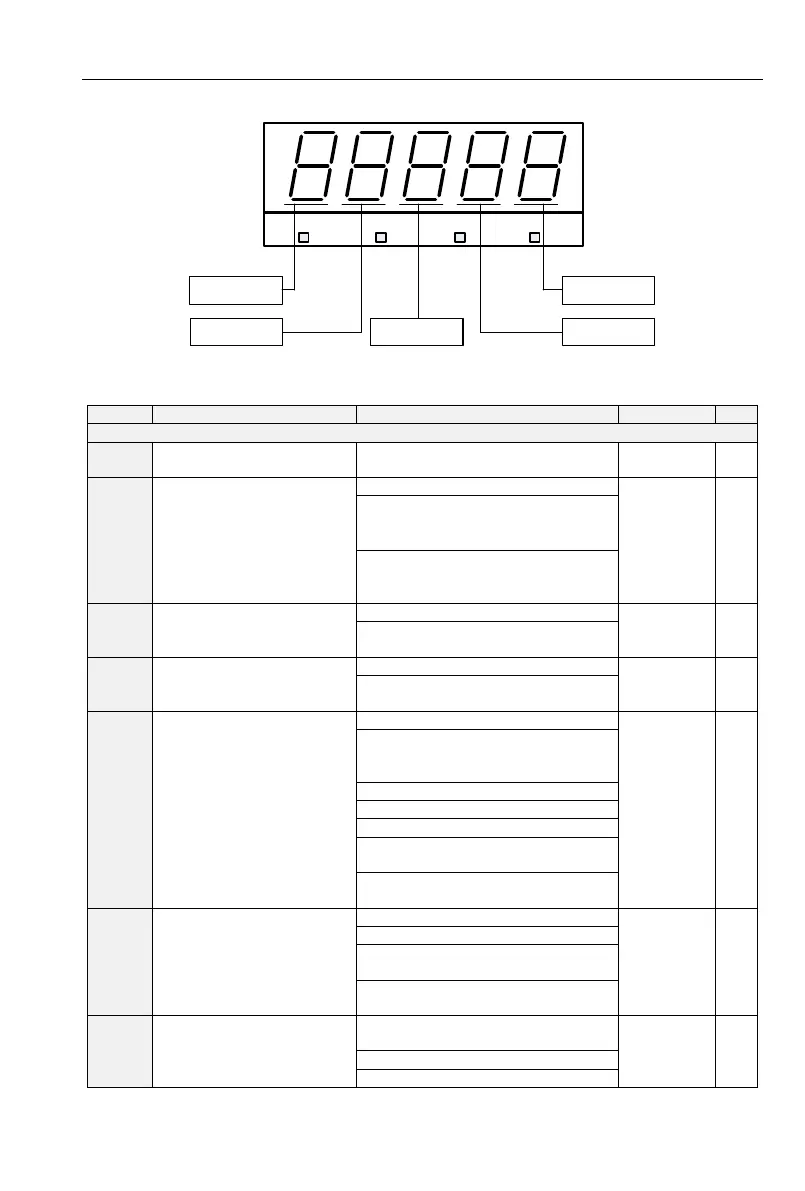
5.1 Five LED (digital) display indicators
Hz V A %
Ten thousand’s
place
Thousand’s place Hundred’s place
Unit’s place
Ten’s place
Fig 5-1 LED indicators
5.2 Standard Function Parameters
Table 5-1 Standard Function Parameters
Group A0: System Parameters
0: Display all parameters
1: Only display A0.00, A0.01 and
user-defined parameters
L1.00~L1.29
2: Only display A0-00, A0-01, and
the parameters different with factory
default
0: All parameter programmable
1: Only A0.02 and this parameter
programmable
G/P type display
(VSX Only)
0: G type (constant torque load)
1: P type (variable torque load
e.g. fan and pump)
1: Restore all parameters to factory
default (excluding motor
parameters)
3: Back up current user parameters
4: Restore user backup parameters
5: Restore factory default(include
motor parameter)
6: Power consumption zero
clearing(U0.35)
Copy of Parameters(Need
an uploading and
downloading module)
2: Download parameter (excluding
motor parameters)
3: Download parameter (including
motor parameters)
0:Editable via keypad and
RS485



 To Next Page