Loading a Syringe
The Fusion series can accommodate up to two syringes in the Fusion 100 and 200 models,
while the Fusion 400 can house up to four syringes. The Fusion 200 can be expanded to 10
channels using the 10-Channel Syringe Rack accessory. The volume of the syringes can vary
from a minimum of 0.5 μL up to a maximum of 60 mL (10 mL maximum for the Fusion 400).
Syringes of any material (e.g., glass, plastic, stainless steel) can be used; however, the
accuracy of the dispensed volume and the durability of the syringe under higher flow rates will
certainly be affected by the type of material used. For more information about syringe or tubing
selection or to see tutorial videos of syringe loading, please visit www.chemyx.com/support.
Fusion 100
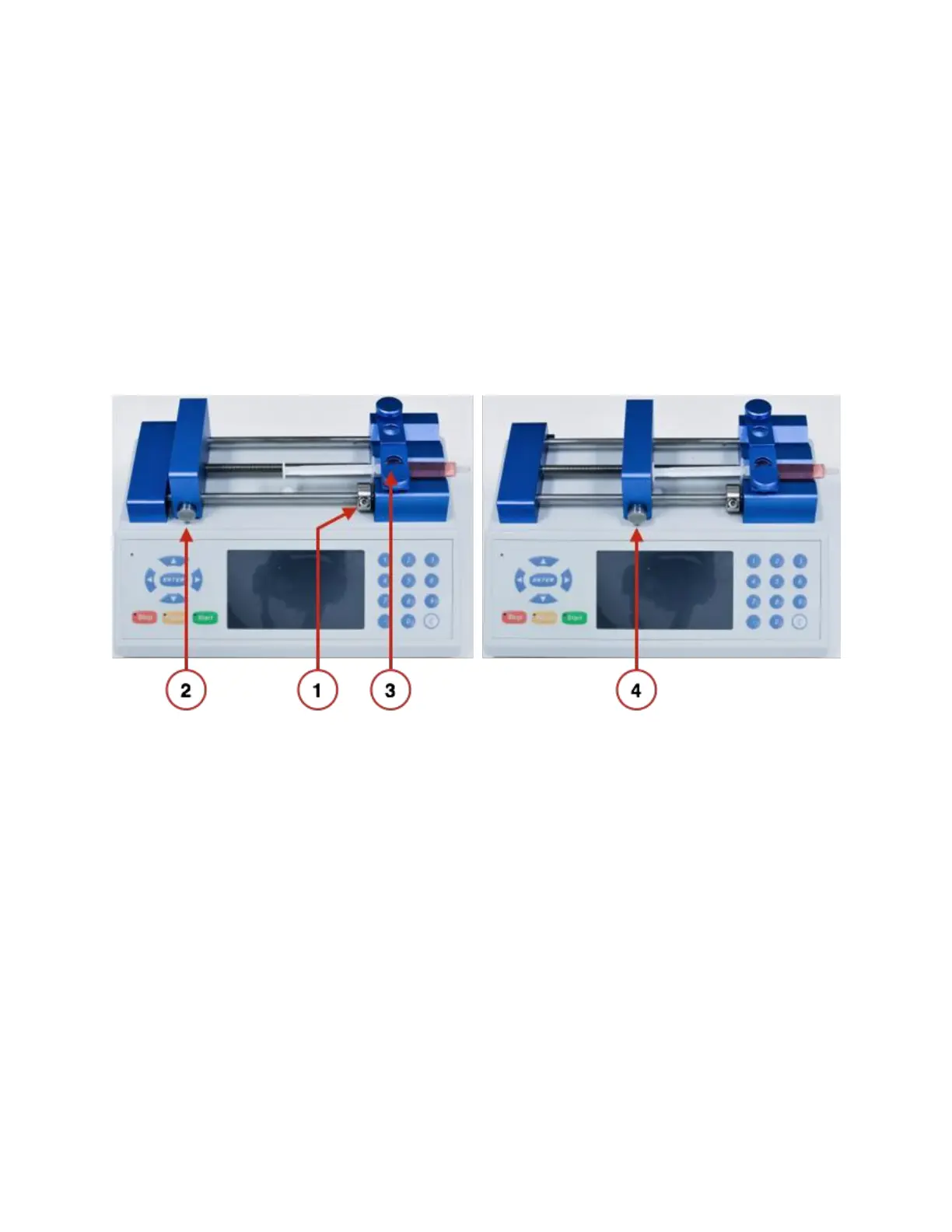
1. If necessary, move and tighten the infusion safety collar (see Adjusting the Safety
Collar).
2. While pressing in the block-release button, slide the pusher block all the way to the left.
3. Pull up on the spring-loaded syringe clamp and place the syringe in one of the channels
of the holder block. Ensure that the flange of the syringe barrel is flush against the edge
of the holder block. Slowly lower the syringe clamp to secure the syringe in place.
4. Press the block release button and slide the pusher block to the right until it is flush
against the syringe plunger.



 To Next Page