safety bar clamp knob will keep the bar from moving.
Pump Operation
Selecting Items
The LCD screen displays a graphical user interface (GUI) from which all the pump settings and
run parameters are entered. Whenever an item is currently selected, the color scheme of the
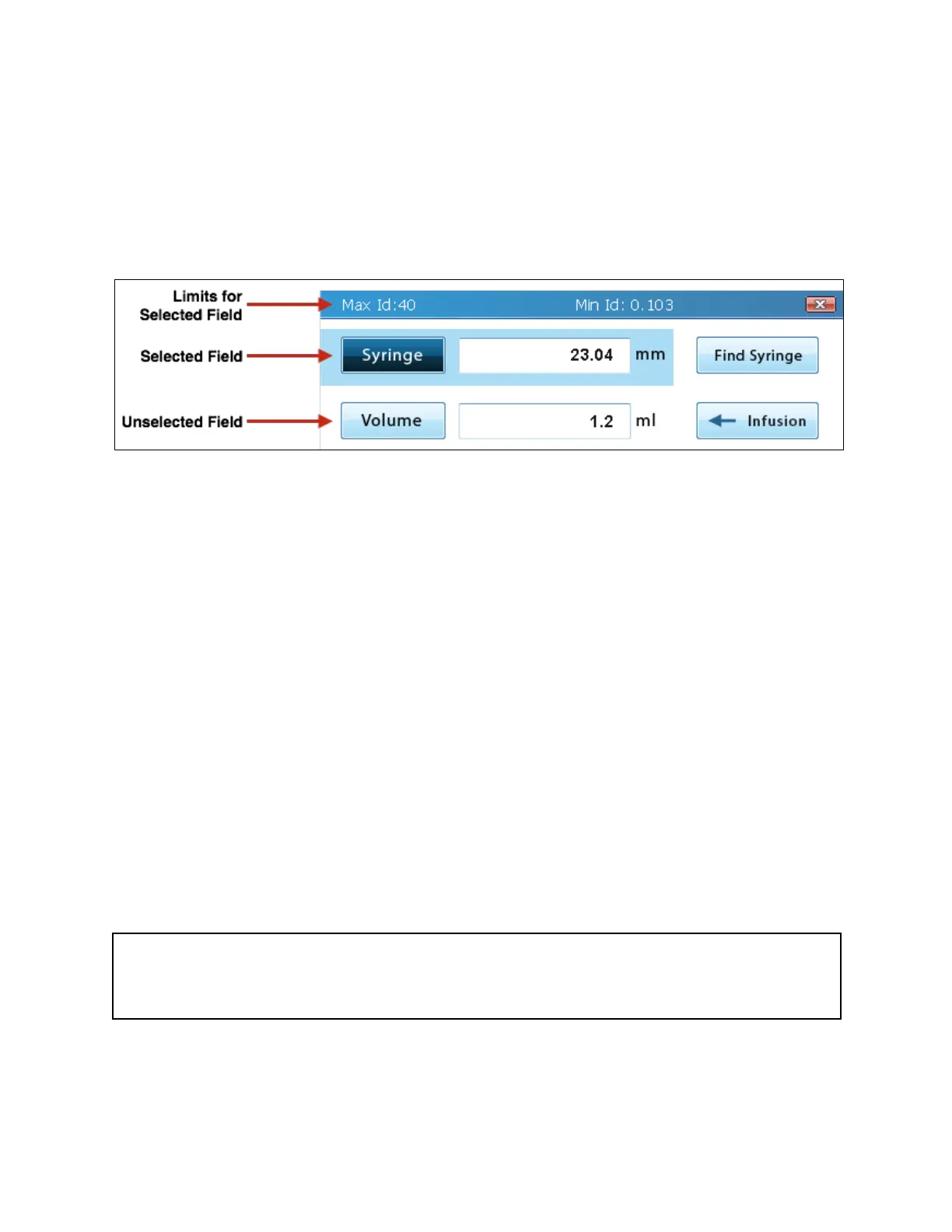
element typically turns to a darker shade of the color. For example, the light blue buttons turn
dark blue when selected, and the white background surrounding an unselected editable text
field turns blue when the field is selected and available for editing. Also, when a GUI element is
selected, the top blue bar will show the activity performed (buttons only) or show the limits to the
values that may be entered for the selected field (editable fields only).
Selecting the items that will be modified can be done two ways: (1) using the LCD touch screen
or (2) using the navigation keypad.
All of the elements of the GUI can be interacted with by touch. Typical touch interactions are
tapping a finger on a button or text field or sliding a finger to scroll. As a resistive touch screen,
these interactions are not restricted to only ungloved fingertips. Many types of objects can be
used to select items on the screen with only very slight pressure, but avoid using sharp objects,
as they may permanently damage the screen.
Elements of the GUI may also be selected using the navigation keypad on the front of the
instrument to move between the elements.
To activate (or “press”) a button using the navigation keypad, select the button element such
that it is highlighted and then press the ENTER key at the center of navigation keypad. Editable
fields can immediately be edited upon selection without the need to press the ENTER key.



 To Next Page