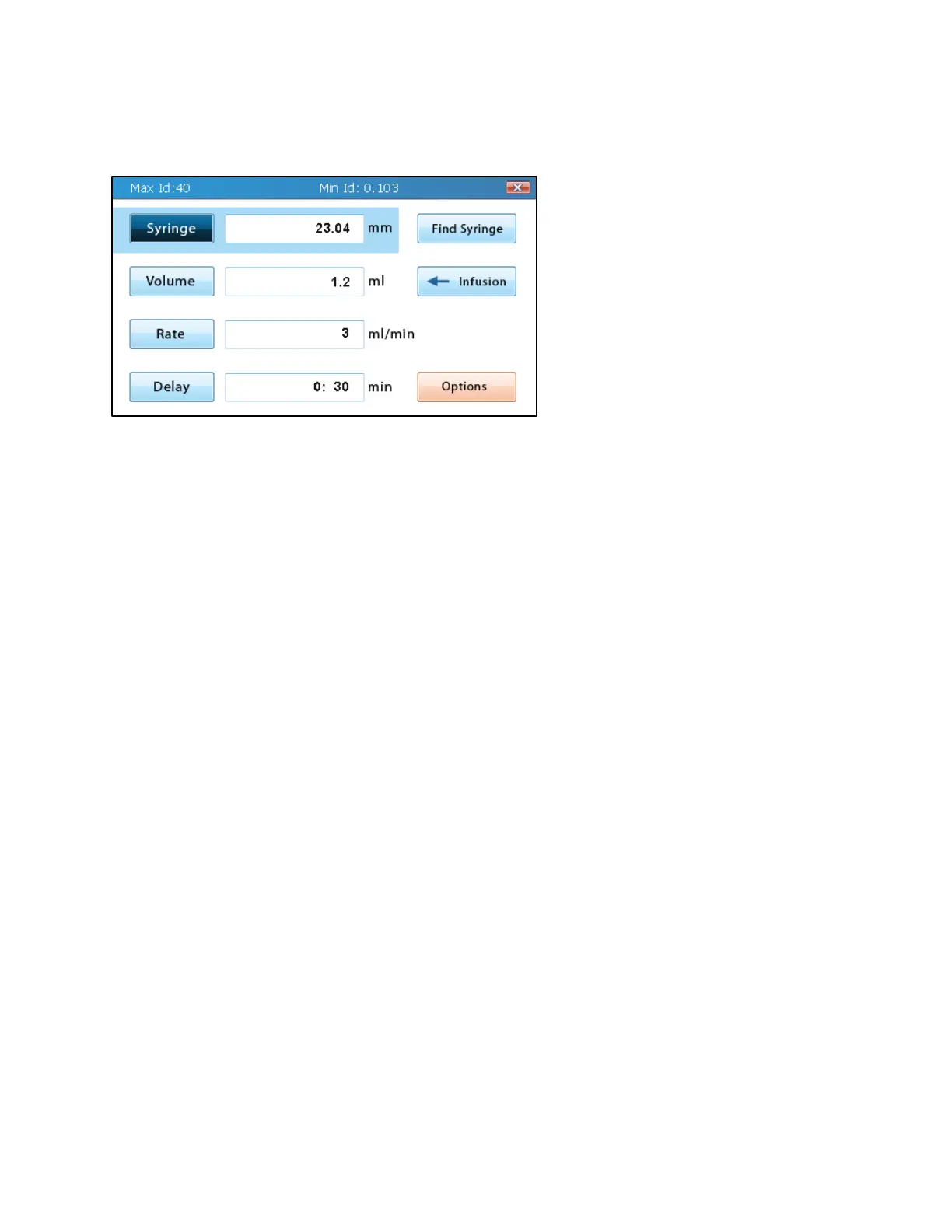
Basic Mode
Basic Mode (or Single-Step Mode) is
used for applications that do not
require advanced automation,
variable volume and rate settings,
step looping, or ramping rates.
The Basic Mode screen can be
reached by tapping on the Basic icon
on the Mode Selection screen.
Basic Mode allows users to select
the syringe being used, to set a valid
volume and rate, and to choose
whether to infuse or withdraw (Fusion 200 only).
The pump can only be started in Basic Mode while the Basic Mode screen is displayed.
Syringe Selection
For every application, the first required step for setup is to select the inner diameter (ID) of the
syringe(s) being used. This value is important for the syringe pump to accurately calculate the
transfer rate and the total transferred volume for the liquid in the syringe. There are two
approaches to entering this value: (1) enter a custom inner diameter or (2) use the built-in
syringe library to import an inner diameter.
Entering a custom inner diameter (ID) is as simple as typing in the ID in millimeters in the
Syringe editable field. The maximum and minimum values for the ID are displayed in the blue
bar at the top of the screen while the Syringe editable field is selected. This value is also limited
to only three decimal places, where any additional decimals or trailing zeroes are dropped. If the
value of the Volume field is smaller/larger than the min/max volume allowed for the input inner
diameter, the value in the Volume field will be adjusted to be within range. Otherwise, no
changes to the volume will occur.



 To Next Page