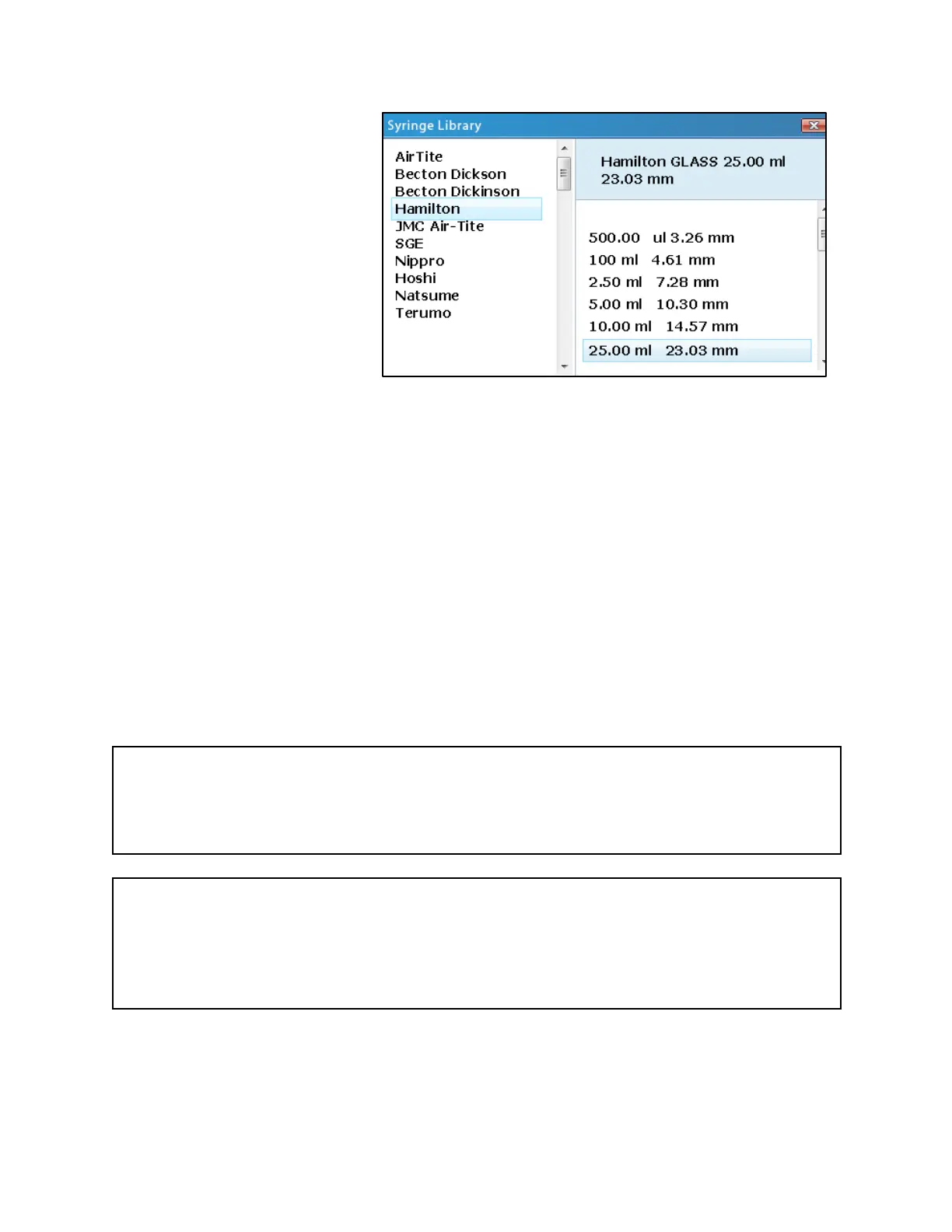
Tapping the Find Syringe button
to the right of the Syringe
editable field will open a new
Syringe Library screen. Syringe
manufacturers are found in the
list on the left. Selecting a
manufacturer will display all of
the syringes available from that
manufacturer in the list on the
right. The list of syringes typically
indicate the volume of the syringe
first, followed by the inner
diameter of the syringe. Both lists
can be scrolled through by
dragging a finger on the scroll bar; however, the easiest approach in this screen may be to use
the navigation keypad to scroll through the lists. A list of the syringes in the library can be found
in Appendix A.
When a particular syringe is selected from the list on the right, an Accept/Enter button will
appear next to the selected item. Tapping the Accept/Enter button (or pressing the Enter key
on the navigation keypad) will import the inner diameter associated with the selected syringe
and exit the Syringe Library screen.
Upon import of a syringe from the syringe library, the Syringe editable field will be updated to
the new inner diameter, and the Volume editable field will be updated to the volume of the
imported syringe. Please note that the volume units and values for the Volume and Rate fields
may change to match the units of volume displayed for the syringe in the Syringe Library.
Important Note
If more than one syringe will be used at the same time, it is recommended that the all of the
syringes be of the same inner diameter. Because Fusion pumps calculate the rate that the
pushing block moves based on the input syringe inner diameter and flow rate, syringes with
larger or smaller inner diameters will transfer more/less volume than indicated by the GUI.



 To Next Page