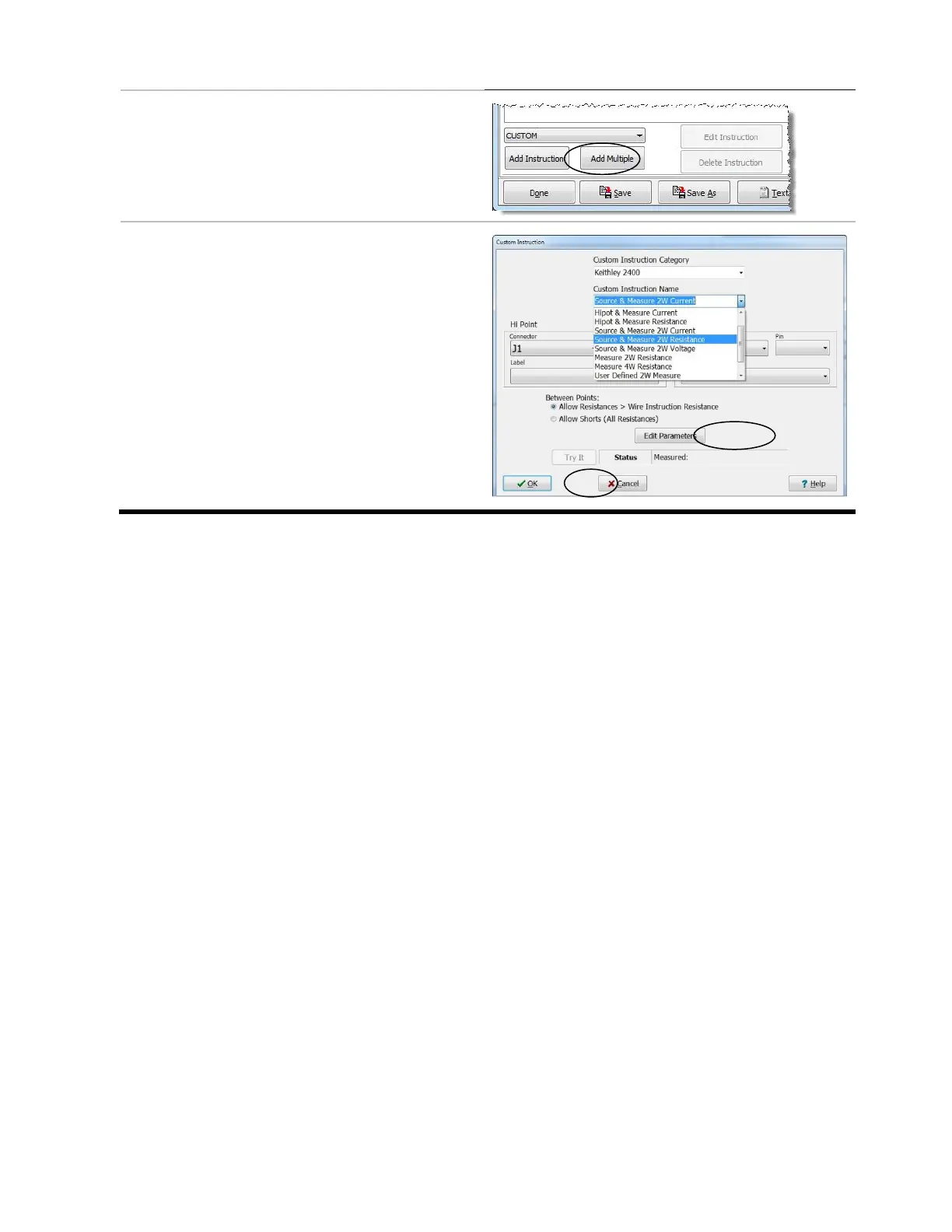
12. In the “Define Instructions” tab,
ensure that “Custom” is selected
and click Add Instruction.
13. Ensure that your instrument is selected
and in the “Custom Instruction Category”
drop down box, select the measurement
instruction you want.
14. Select the connector and Pin numbers
that your instrument will measure.
15. If desired, Edit Parameters here.
16. Click OK.



 To Next Page