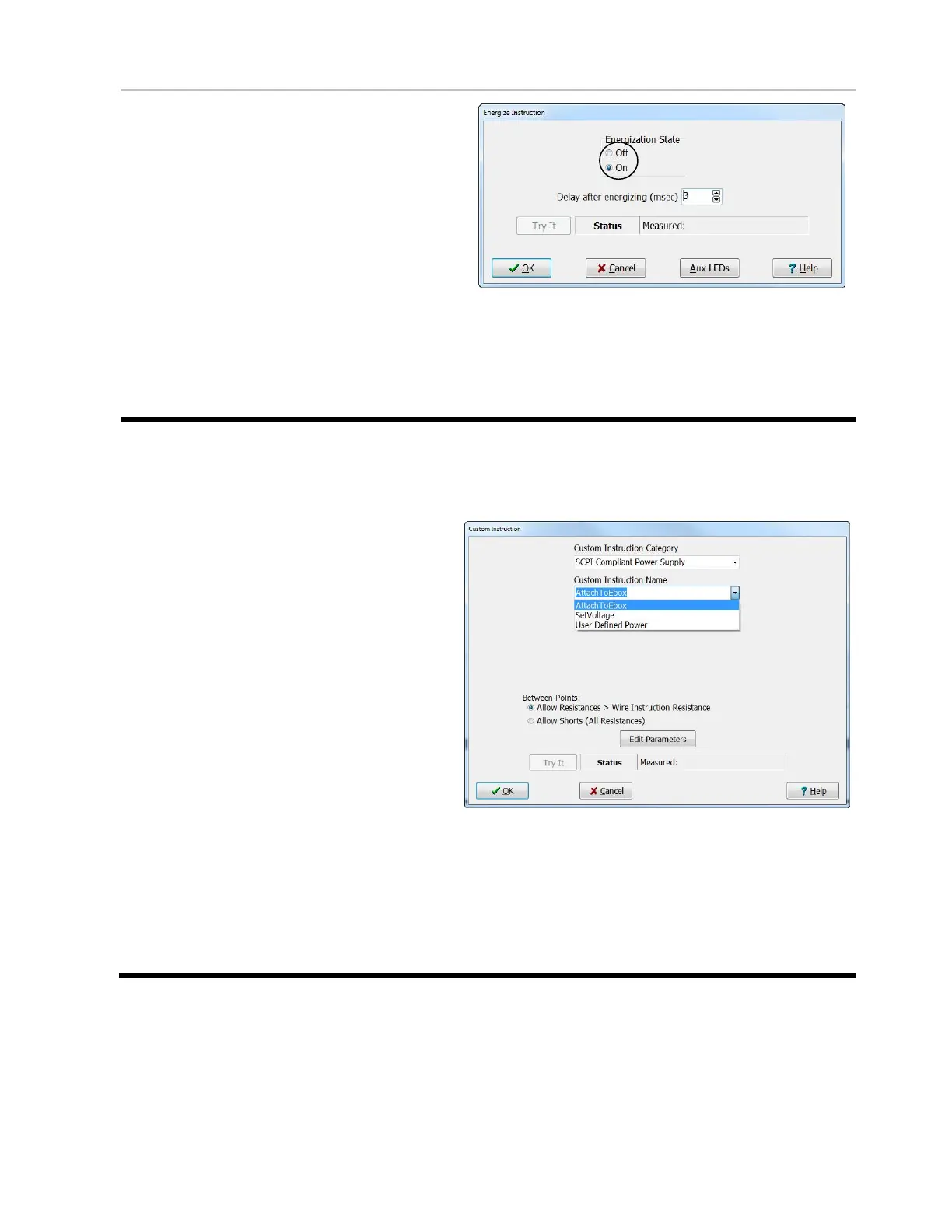
Energize Instruction
The Energization instruction controls a
switch inside the EBox, which connects the
energization supply to the energization
switch point matrix.
Use the Activate commands to connect the
E-points of the device to be powered, and
then turn on the power using the Energize
“On” command. You must turn off the
power using the Energize “Off” command
before changing the E-point connections
using Actuate. At the end of a test,
Energize is automatically turned off and all
actuation points are disconnected.
EBox Custom Instructions
You can only use the EBox Custom Instructions if you have one or more variable power
supplies. These instructions allow you apply multiple voltages during a test.
Attach To EBox Instruction
This instruction sets up the
communication between the EBox
and the variable power supply. This
instruction needs to be the first instruction
in the “Define Instruction”
tab in the “Test Program Editor”.
Set Voltage Instruction
This instruction allows you to set and
change the voltage of the variable power
supply. This instruction needs to be used
to set the voltage before the first
energization instruction in the instruction
list. To change the voltage, you can use
an additional voltage instruction anywhere
in the instruction list.
User Defined Power Instruction
This instruction can be used to send
custom SCPI Script lines to the variable
power supply.



 To Next Page