Setting Up the Test
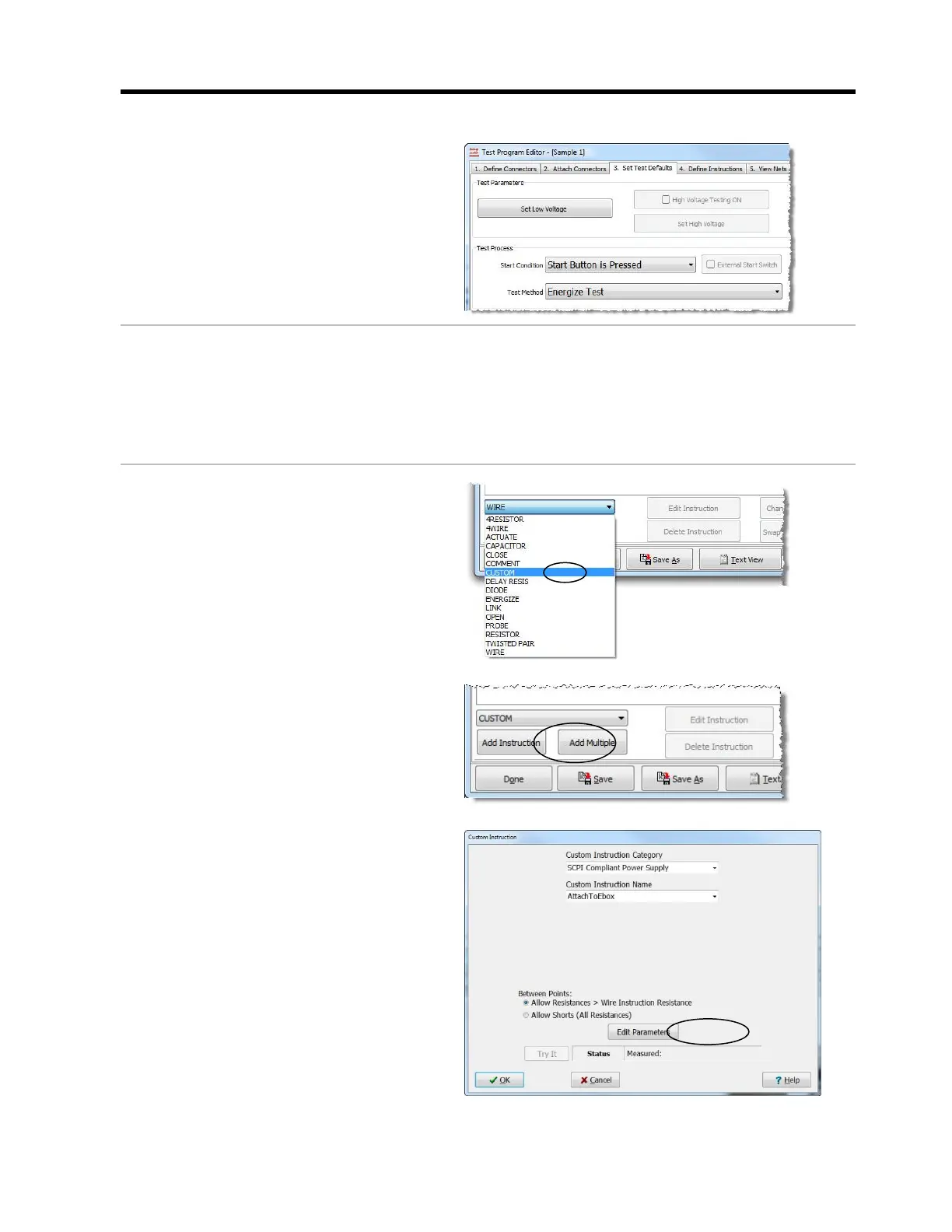
1. When you set up a test to use the
EBox, in the “Set Test Defaults” tab,
change the Test Method to
Energize Test.
2. If you are using a fixed power
supply, skip to step 8.
If you are using one or more
variable power supplies, continue
to steps 3-8.
3. Open the “Define Instructions” tab in
the “Test Program Editor.” Click on
the drop down box in the bottom left
corner, and select Custom.
4. Click Add Instruction.
5. In the “Custom Instruction”
window, do the following:
a. Set the “Custom Instruction
Category” to SCPI Compliant
Power Supply.
b. Set the “Custom Instruction
Name” to Attach to EBox.
c. Click Edit Parameters.



 To Next Page