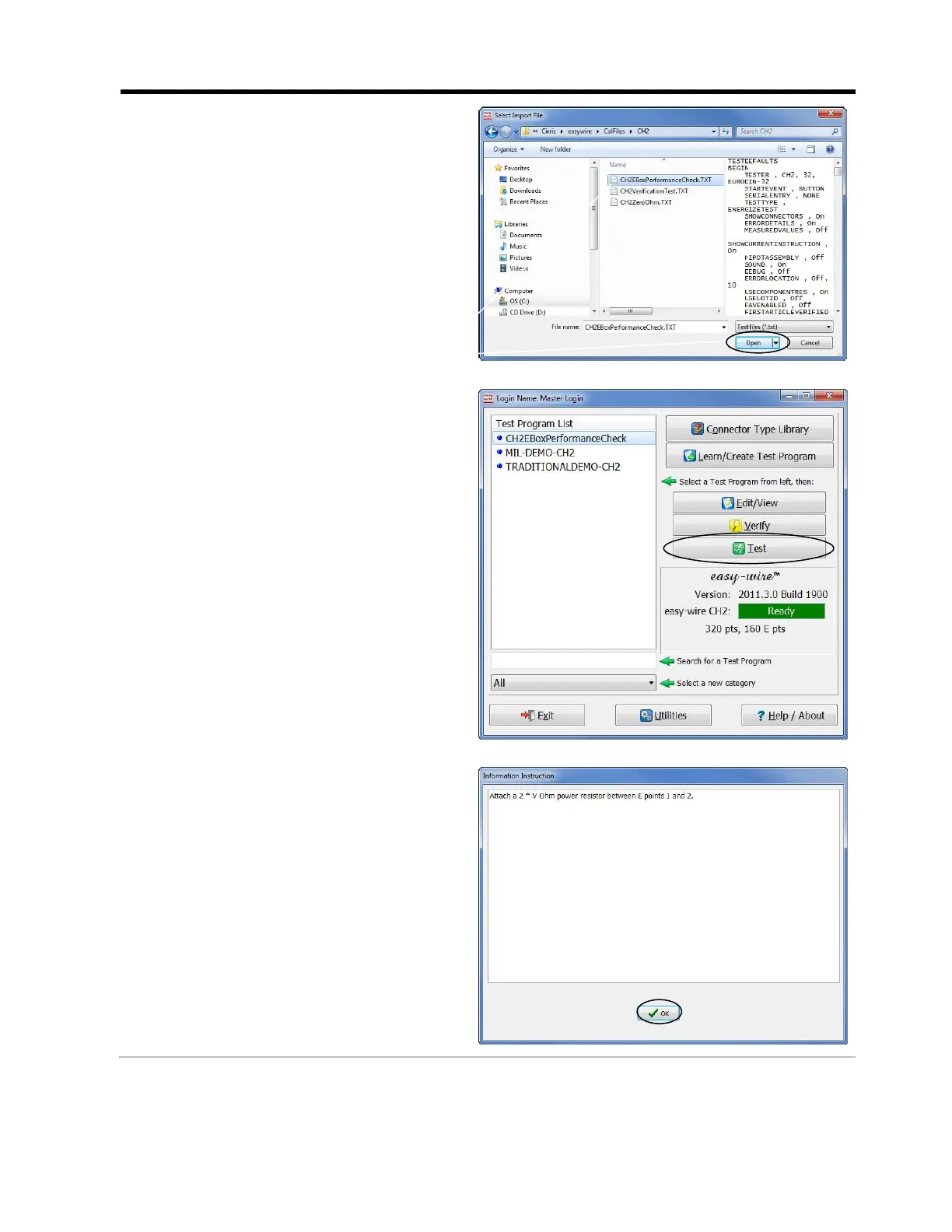
To run the EBox Performance Check
test:
1. In the Easy-Wire main menu,
click Utilities.
2. Click Import.
3. Click Import Text File.
4. Import the
CH2EBoxPerformanceCheck.TXT
text file into your Easy-Wire software.
5. In the Easy-Wire main menu, select
the EBox Performance Check test
and click Test.
6. When the first custom instruction
displays, attach the resistor that has an
Ohm value equivalent to two times the
test voltage between Energization
points 1 and 2 on the EBox.
Then click OK.



 To Next Page