5-61
Cisco 7600 Series Router Installation Guide
OL-4503-26
Chapter 5 Removal and Replacement Procedures
Removing and Replacing the Power Supply
Figure 5-65 DC-Input Wires on Left Side
xxxx
Installing a PWR-4500-DC Power Supply in a Cisco 7606-S Router
Note There are different power supply configurations available for the Cisco 7606-S router. See the appendix,
Cisco 7606-S DC Power Supply Configurations, for more information.
Warning
Before performing any of the following procedures, ensure that power is removed from the DC circuit.
Note When you use 4500 W DC-input redundant power configurations and if there is a system load that is
greater than 5/3 of lower power capacity on any one power supply, the system supervisor generates latch
signal to the power supply with lower power capacity. The lower power capacity on any power supply
may be because one of the DC-inputs of the power supply is disabled. Since the power supply gets into
latch mode in the system, the power supply should be removed out of chassis and put it back to turn it on.
Follow these steps to install a DC-input power supply:
Step 1 Ensure that the system (earth) ground connection has been made. For ground connection installation
instructions, see the
“System Ground Connection” section on page 3-19.
Step 2 Remove the plastic bag attached to the front panel and put aside. This bag contains two plastic terminal
block barriers, two cable ties, and two cable holder covers.
Step 3 Verify that power is off to the DC circuit connected to the power supply you are installing.
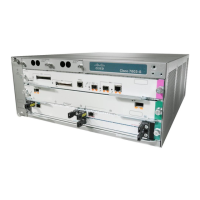
Grasp both power supply handles, as shown in Figure 5-66. Slide the power supply into the power supply
bay. Make sure that the power supply is fully seated in the bay.
119950
PWR-2700-DC/6
C
H
A
S
SIS
G
R
O
U
N
D
IN
P
UT
1
O
K
48V-60V
=4
0A
IN
P
UT
2
O
K
48V
-60V
=40A
FA
N
O
K
O
U
TP
U
T
FA
IL
ALL FASTENERS M
U
ST BE FULLY ENGAGED
PRIOR TO OPERATIN
G THE POW
ER SUPPLY


 To Next Page