5-66
Cisco 7600 Series Router Installation Guide
OL-4503-26
Chapter 5 Removal and Replacement Procedures
Removing and Replacing the Power Supply
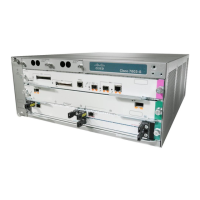
Figure 5-70 2500 W DC-Input Power Supply
Warning
Power supply captive installation screws must be tight to ensure protective grounding continuity.
Step 5 Remove the two screws securing the terminal block cover, and slide the cover off of the terminal block
(
Figure 5-70).
Step 6 Attach the appropriate lugs to the DC-input wires. The maximum width of a lug is 0.300 inch (7.6 mm).
The wire should be sized according to local and national installation requirements. Use only copper wire.
Note For 2500 W power supplies, use fine-stranded copper conductors rated for 45-degrees Celsius
for North American installations.
Step 7 Connect the DC-input wires to the 2500 W power supply terminal block (Figure 5-71) in this order:
• Ground
• Negative (-)
• Positive (+)
Warning
When installing the unit, the ground connection must always be made first and disconnected last.
INPUT
OK
FAN
OK
OUTPUT
FAIL
I
0
85906
Power
switch
DC power cable
terminal block
Terminal block
cover
Status LEDs
Captive installation
screw


 To Next Page