Chapter 1 Unpacking and Installing the CSS
Installing the CSS 11501
1-12
Cisco 11500 Series Content Services Switch Hardware Installation Guide
78-16421-01
Installing the CSS 11501
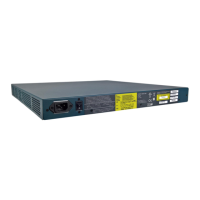
The CSS 11501 can be a freestanding unit or installed in a 19-inch equipment
rack, as described in the following sections.
Warning
Do not remove the CSS 11501 cover. There are electrical shock hazards present
in the unit if the cover is removed. The fans and power supply in a CSS 11501 are
not user-serviceable or installable components.
Note Removing the CSS 11501 cover voids its warranty.
This section covers:
• Installing a CSS 11501 as a Freestanding Unit
• Installing a CSS 11501 as a Rackmounted Unit
Installing a CSS 11501 as a Freestanding Unit
To install a freestanding CSS 11501:
1. Position the CSS 11501 on the selected flat surface.
2. Attach the rubber feet, provided in the accessory kit, to each bottom corner
of the CSS.
Note All cables connect to the front of the chassis with the exception of the power cord.









 To Next Page