2-23
Cisco 11500 Series Content Services Switch Hardware Installation Guide
78-16421-01
Chapter 2 Cabling and Troubleshooting the CSS
Connecting the Console
Connecting the Console
To connect a console to the CSS, attach the console cable (provided in the
accessory kit) to the Console port on the CSS. Your terminal settings must match
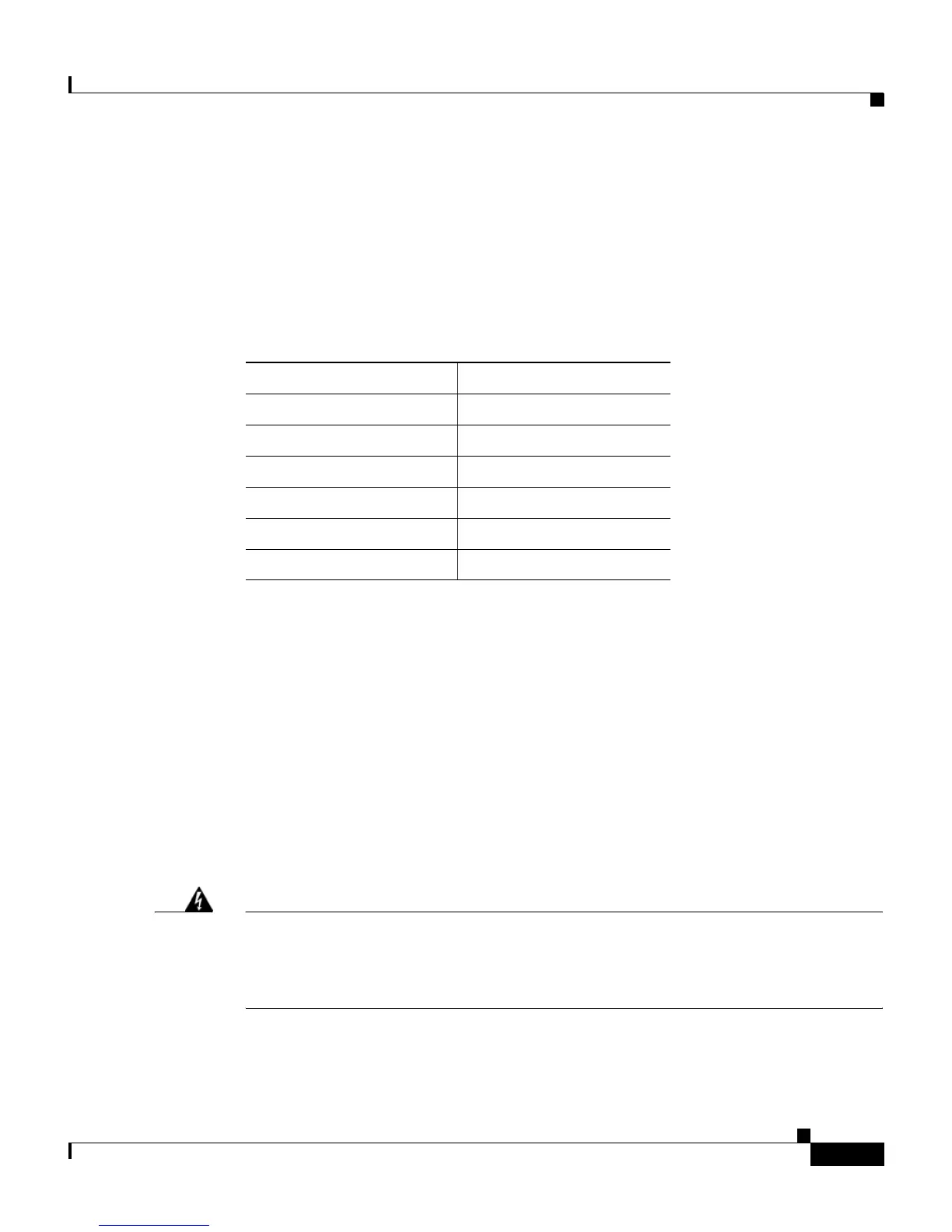
the CSS default settings specified in Table 2-7.
If a communications problem occurs between the CSS and a console, see the
“Troubleshooting the Console Interface” section later in this chapter.
Connecting the Chassis to Ground
Connecting the CSS 11503 or CSS 11506 chassis to earth ground is required for
all DC-powered installations, and any AC-powered installation where compliance
with Telcordia (formerly Bellcore) grounding requirements is necessary. Have the
recommended tools and supplies available before you begin this procedure (see
Table 2-8).
Warning
Never defeat the ground conductor or operate the equipment in the absence of
a suitably installed ground conductor. Contact the appropriate electrical
inspection authority or an electrician if you are uncertain that suitable
grounding is available.
Table 2-7 CSS Console Port Default Settings
Parameters Default Settings
Baud 9600
Data Bits 8
Parity None
Stop Bits 1
Terminal Type VT100/ANSI
Flow Control None









 To Next Page