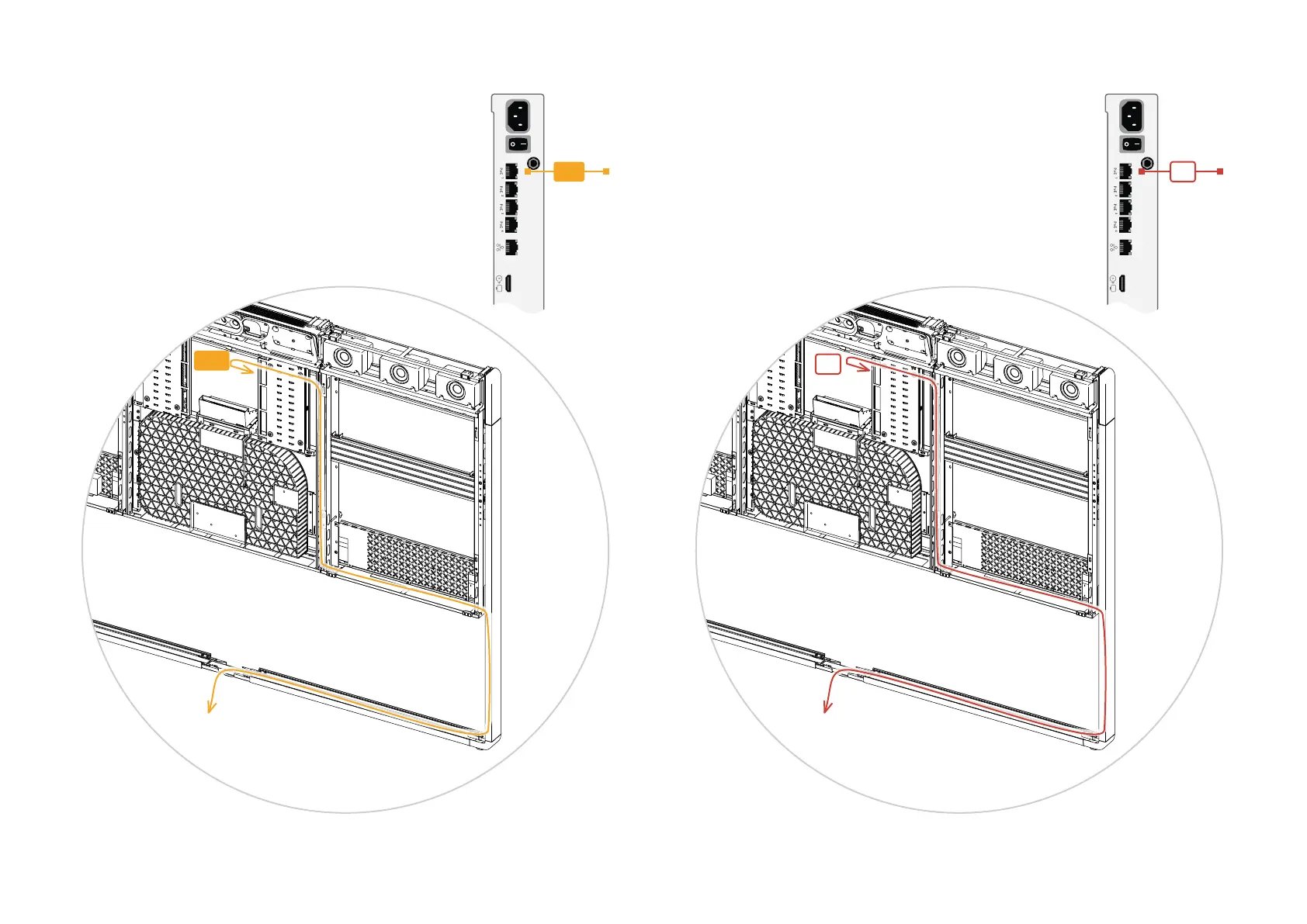
MD1
Toward
table
X1
Toward
switch
46 Copyright © 2024 Cisco Systems, Inc. All rights reserved.D15519.02 | 2024 JANUARY | Cisco Room Kit EQX Installation Guide
One digital microphone:
• Lead the microphone cable from the table to the system
using the regular cable routes. Then connect it to the
codec (MD1).
More than one digital microphone:
You must connect the microphones to the codec via an
Ethernet switch (see the wiring diagram):
• Place an Ethernet switch by the table and connect it to
the codec (X1). Also connect the switch to power (X2).
• Connect the microphones to the switch (MD1..3).
MD1
Codec
Codec
X1


 To Next Page