39 Copyright © 2024 Cisco Systems, Inc. All rights reserved.D15519.02 | 2024 JANUARY | Cisco Room Kit EQX Installation Guide
12. Insert the camera
Camera
1x camera (Box: Camera)
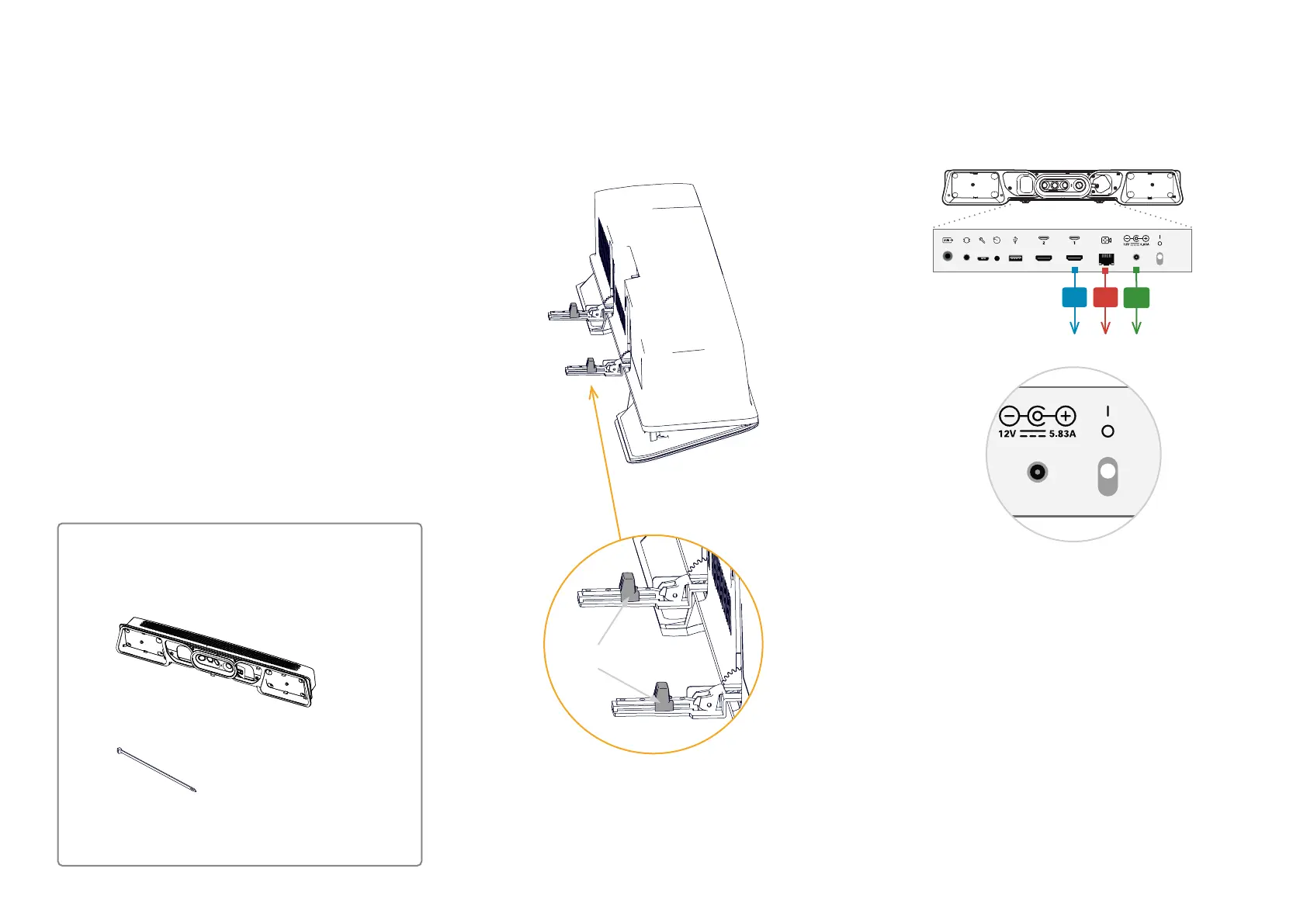
12.1. Set the camera tilt angle to 10°
There are two sliders for adjusting the camera tilt angle at
the bottom of the camera.
Flip down the hinges and move the sliders to 10°, which is
the required tilt angle for this product.
Flip the hinges back when done.
10°
12.2. Connect cables to the camera
1. Connect cables to the camera (C1, C2, C3). Let the other
end hang freely for now.
Camera
C1 C2
C3
2. Check that the camera power switch is On.
3x nylon cable ties (Box: Center kit)


 To Next Page