70 Copyright © 2024 Cisco Systems, Inc. All rights reserved.D15519.02 | 2024 JANUARY | Cisco Room Kit EQX Installation Guide
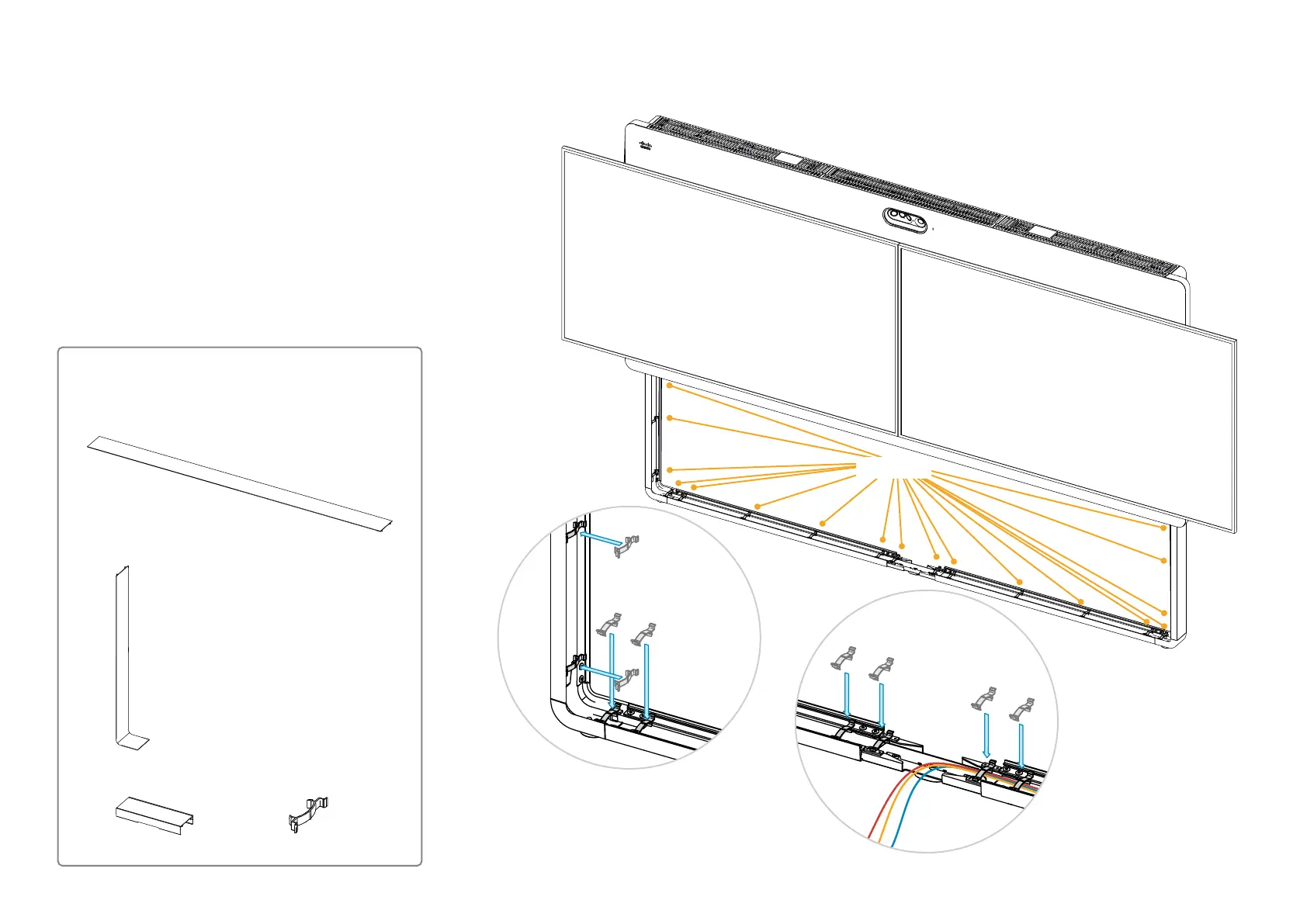
27. Attach the stand covers
Make sure all cables that will be routed in the stand are in
place before you click on the cover clips.
Stand covers and cover clips (Box: A)
2x stand cover, horizontal
2x stand cover, vertical
1x cable outlet cover
18x cover clips
27.1. Tidy up cables and add cover clips
Cover clips
Click the clips onto the stand. The stand
covers will snap to these clips (in s t e p 27.2).
Make sure that the cables are below the clips.


 To Next Page