26 Copyright © 2024 Cisco Systems, Inc. All rights reserved.D15519.02 | 2024 JANUARY | Cisco Room Kit EQX Installation Guide
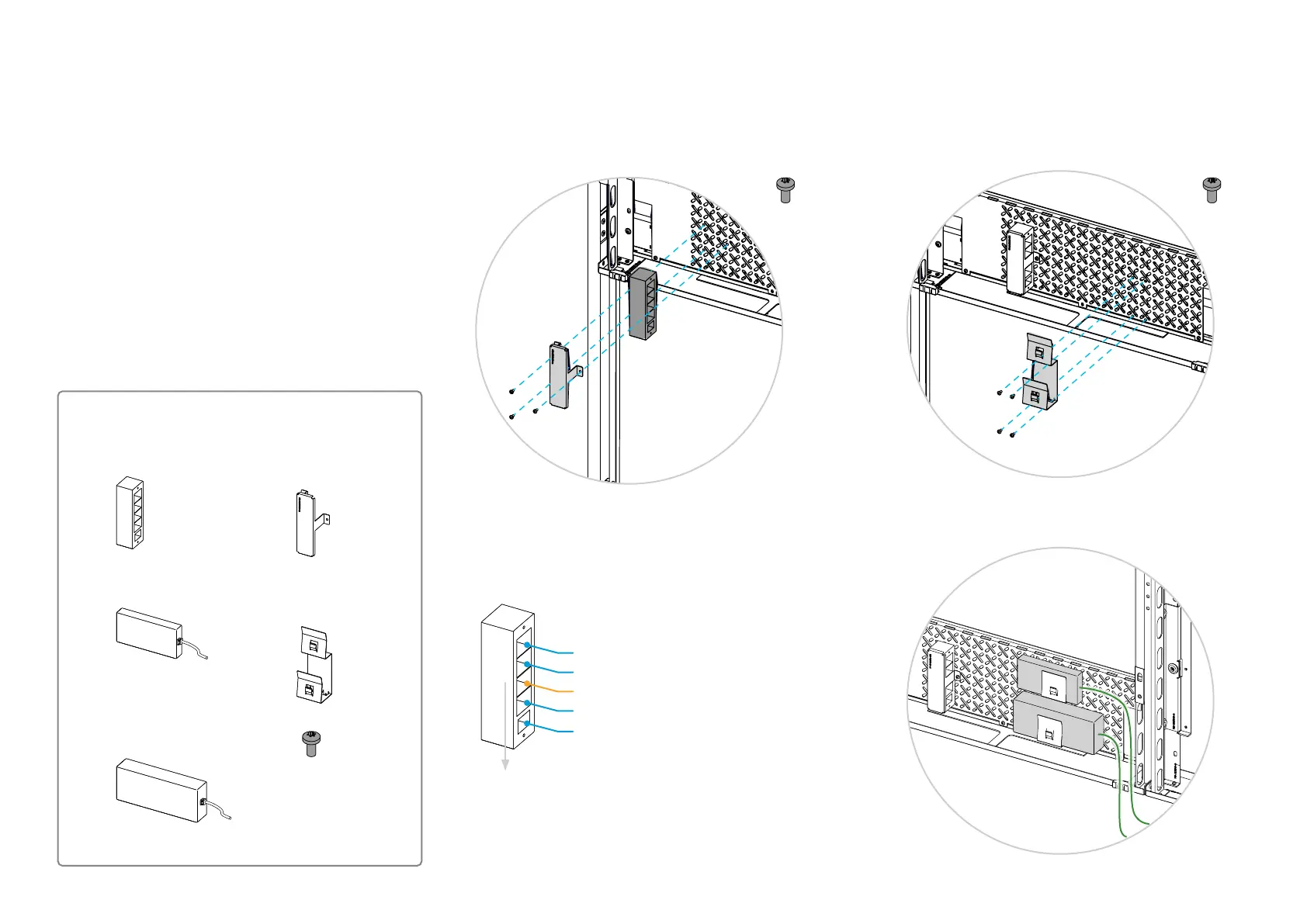
6. Mount the power strip and PSUs
Power strip and PSUs
1x Power strip (Box: Acc 1)
The power strip and PSUs are placed in the left side module,
close to the bottom.
Don’t connect the power strip to the wall socket outlet now.
1x Power strip bracket
(Box: Center kit)
1x PSU, 12 V
(Box: Acc 1) 1x PSU bracket
(Box: Center kit)
1x PSU, 24 V
(Box: Acc 1)
6.1. Mount the power strip
Place the bracket over the power strip and fasten it to the
back plate with three screws (M4x8, Torx T20).
6.2. Mount the PSUs
1. Fasten the PSU bracket to the back plate with four
screws (M4x8, Torx T20).
2. Slide the two PSUs into the bracket. The smaller 12 V
PSU is above the larger 24 V PSU.
The cables that are fixed to the PSUs are to the right.
3x 4x
From wall socket outlet (in step 28)
To codec (in step 6.4)
Not in use (intentionally blocked by bracket)
To 12 V PSU (in step 6.3)
To 24 V PSU (in step 6.3)
Downward
7x
(M4x8, Torx T20)
(Box: Center kit)


 To Next Page