67 Copyright © 2024 Cisco Systems, Inc. All rights reserved.D15519.02 | 2024 JANUARY | Cisco Room Kit EQX Installation Guide
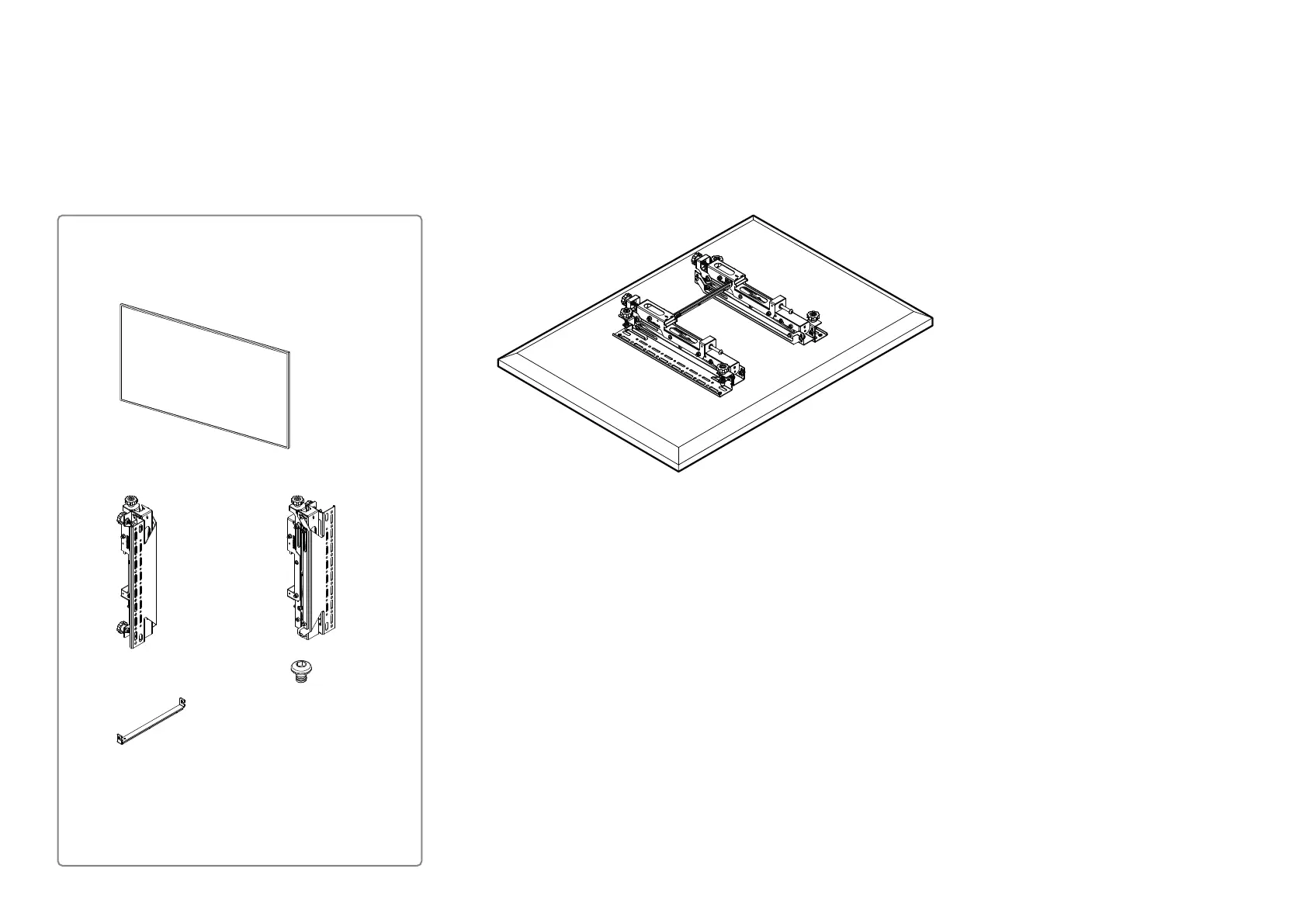
25. Mount the right screen
25 .1. Attach the interface arms
Repeat the following steps for the right screen:
1. Step 22.1 — “Attach the interface arms to the back of the screen”
2. Step 22.2 — “Connect the interface arms with the adjustable brace”
Right screen
1x screen
Mount the brackets on the VESA holes on the back of the
screen. See the installation guide that follow the brackets for
more details than provided here.
1x left interface arm
(Box: Bracket 2)
1x right interface arm
(Box: Bracket 2)
1x adjustable brace
(Box: Bracket 2)
A set of screws, spacers, and washers for fastening
the interface arms to the screen is provided. Use
the ones that suit your screen. If neither of the
screws and spacers fit your screen, the installer
must provide the required hardware.
2x
(M5x6)
(Box: Bracket 2)


 To Next Page