60 Copyright © 2024 Cisco Systems, Inc. All rights reserved.D15519.02 | 2024 JANUARY | Cisco Room Kit EQX Installation Guide
22.2. Connect the interface arms with the adjustable brace
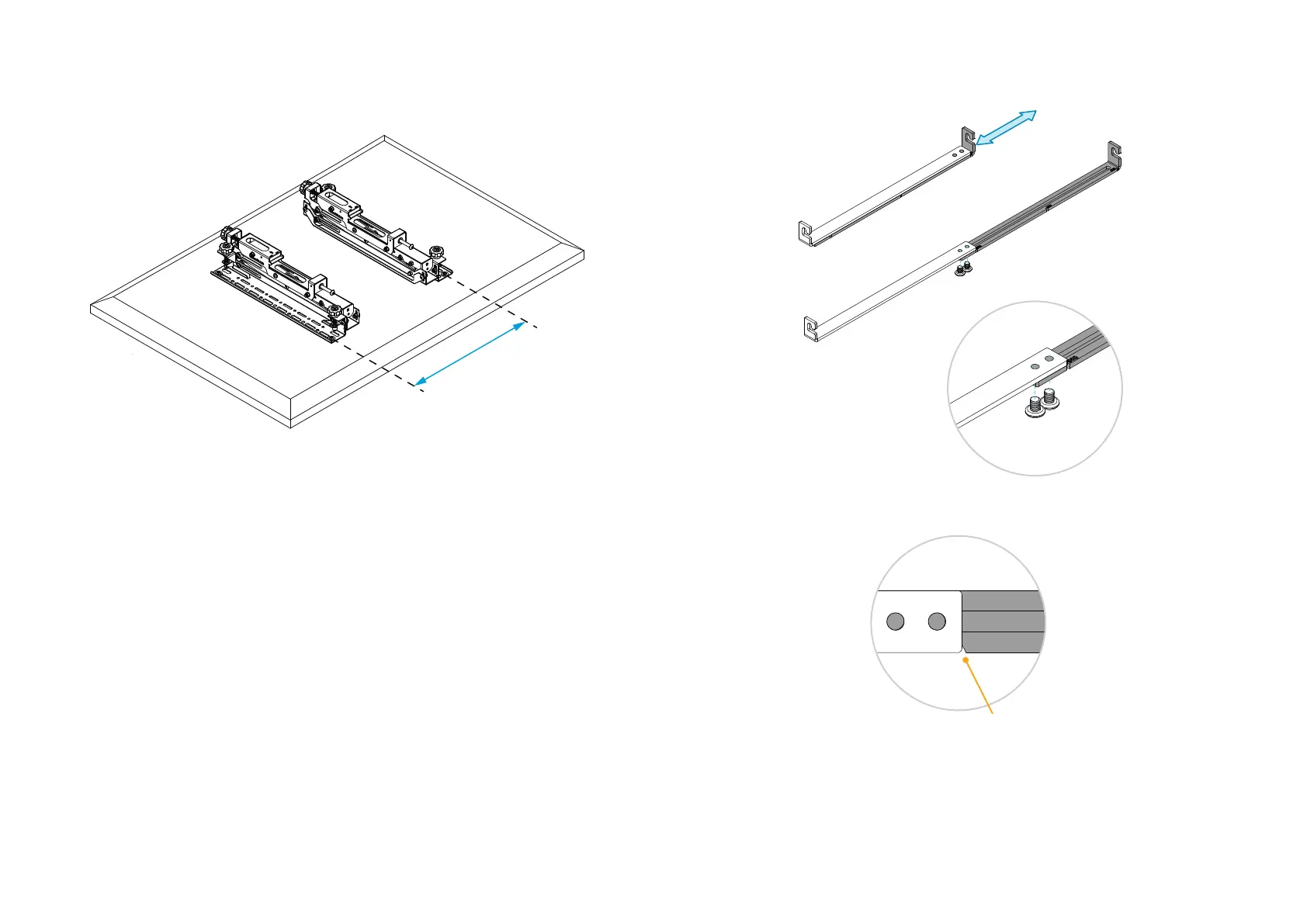
1. Measure the horizontal distance between the interface holes on your screen.
The adjustable brace supports distances ranging from 400 mm to 600 mm.
Distance between
interface holes.
2. Extend the brace and fix it at the desired length by tightening the two screws.
Notches show the fixing position for 400 mm, 500 mm, and 600 mm distances.
Example: If the interface holes are
600 mm apart, extend the brace to
the notch marked with 600.


 To Next Page