Chapter 2 Operating Principles
2-4. Interface
CL-E720DT 2-58
(3) Parallel port status signals when an error occurs
The following table shows the status signal change when an error occurs.
Under the specifications for this bi-directional parallel interface, the parallel port status signals
when an error occurs are, as shown below, partially processed differently than with Compatible
mode used up till now. When bi-directional parallel interface is on in the setting menu, even if a
printer error has occurred, the BUSY signal line is not active (“High”).
Error Compatible mode
Paper end Busy:
PError:
Select:
Fault:
L H
L H
H L
H L
Error other than paper end
• Head open
• Other
Busy:
PError:
Select:
Fault:
L H
L unchanged
H L
H L
Conditions for Busy • Receive buffer full
• Data being read
• Error
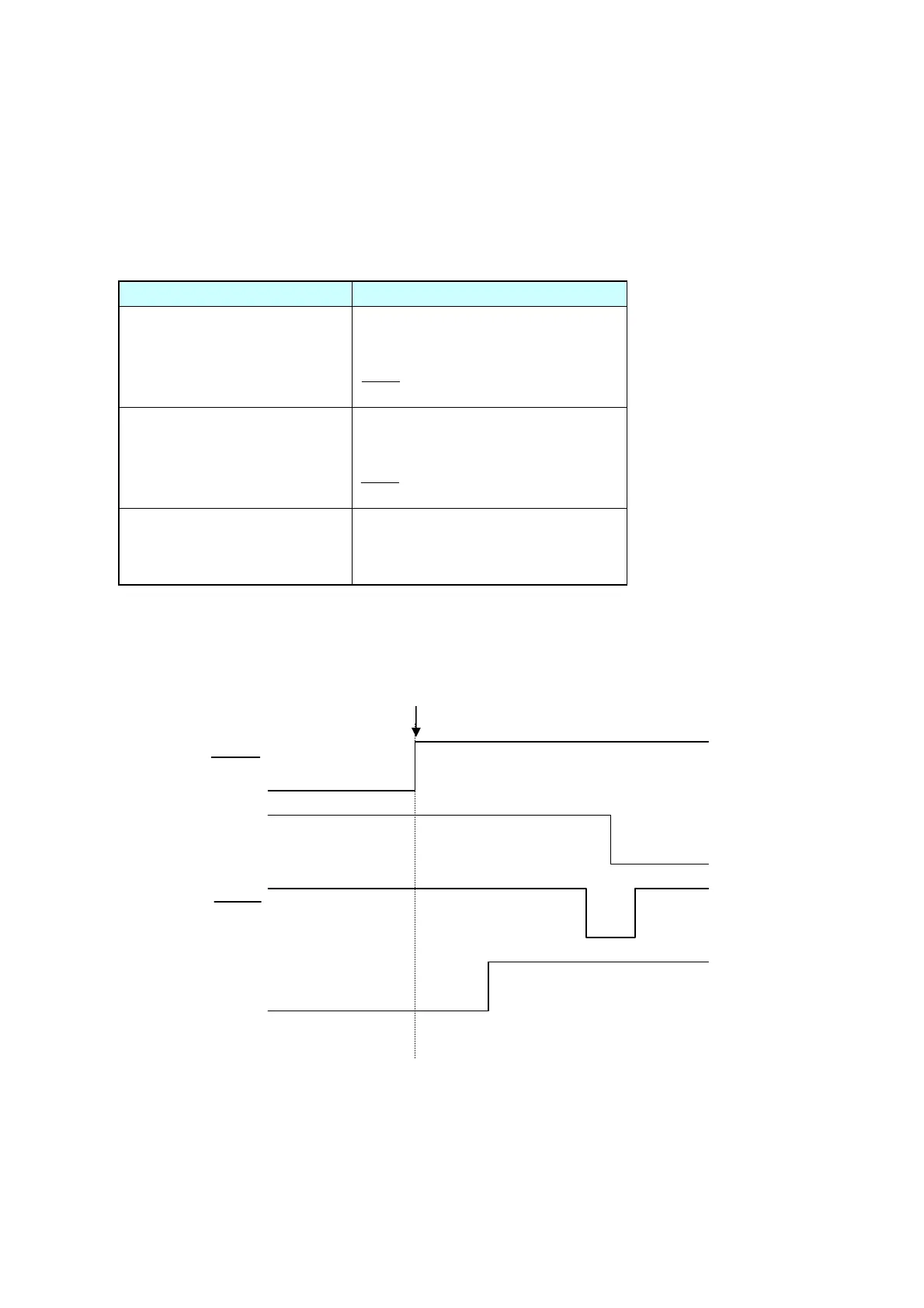
(4) Compatible timing specification
[When power is on] (Timing to go on-line)
BUSY
SELECT
Power On
ACK
Reset


 To Next Page