Citrix ADC MPX
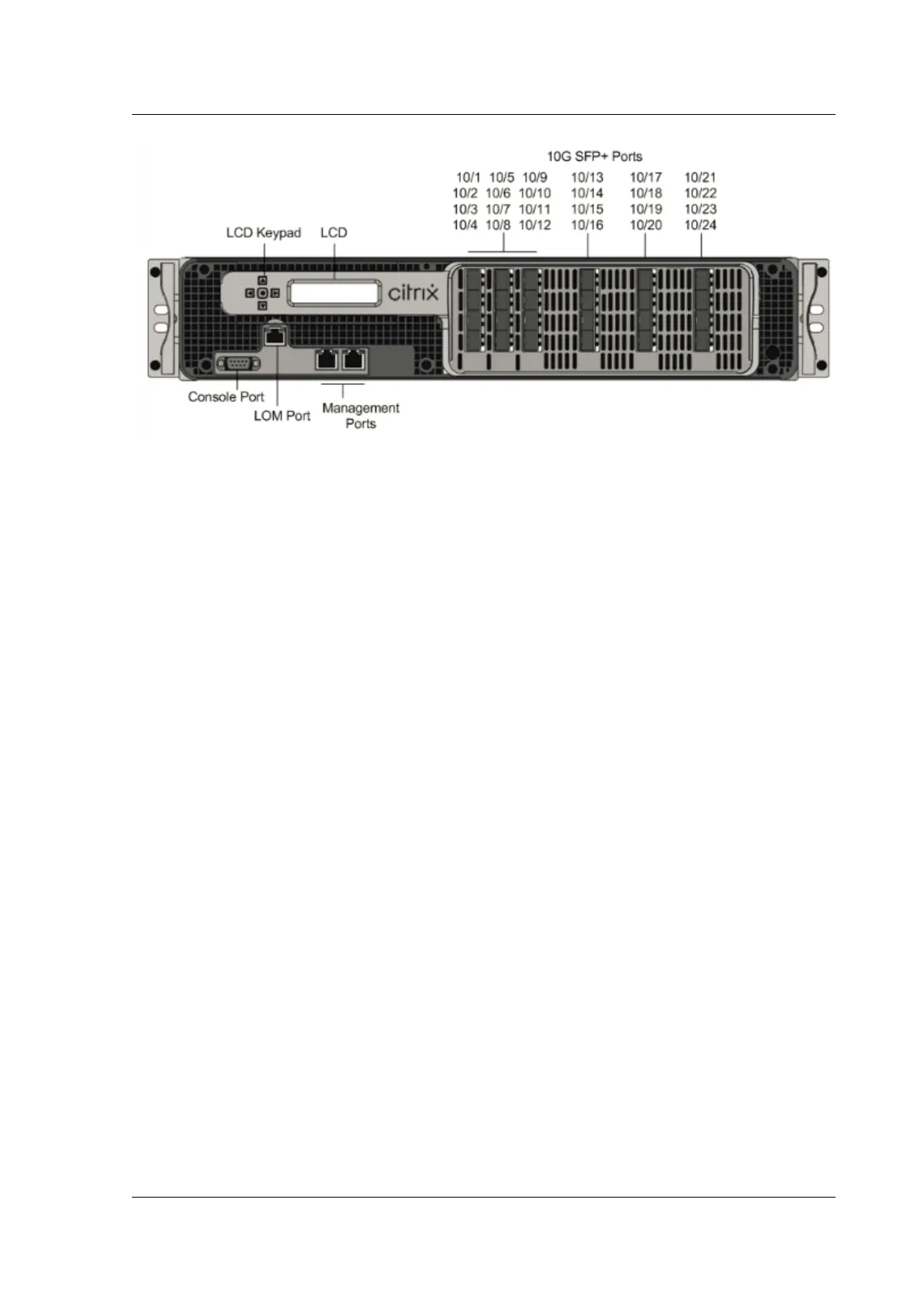
Depending on the model, the appliance has the following ports:
• RS232 serial Console Port.
• 10/100Base‑T copper Ethernet Port (RJ45), also called the LOM port. You can use this port to
remotely monitor and manage the appliance independently of the Citrix ADC soware.
• Two 10/100/1000Base‑T copper EthernetManagement Ports(RJ45), numbered 0/1 and 0/2 from
le to right. These ports are used to connect directly to the appliance for system administration
functions.
• Network Ports
– MPX 22040/22060/22080/22100/22120 (12x1G SFP + 24x10G SFP+). Twelve copper or fiber
1G SFP ports and twenty‑four 10G SFP+ ports.
– MPX 22040/22060/22080/22100/22120 (24x10G SFP+). Twenty‑four 10G SFP+ ports.
The following figure shows the back panel of the MPX 22040/22060/22080/22100/22120 appliances.
Figure 3. Citrix ADC MPX 22040/22060/22080/22100/22120, back panel
© 1999–2023 Cloud Soware Group, Inc. All rights reserved. 77



 To Next Page
 Loading...
