Citrix ADC MPX
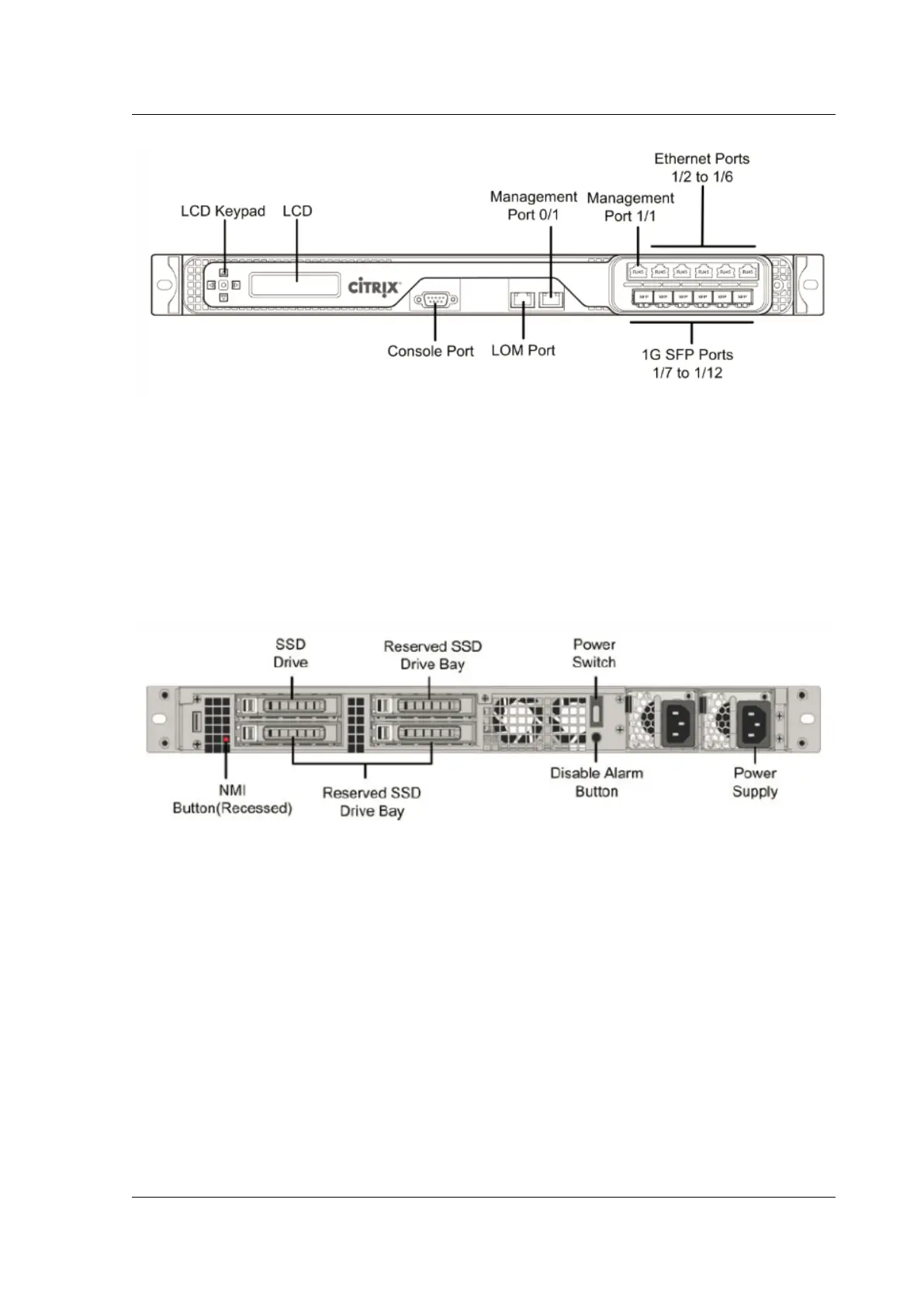
The T1010 appliance has the following ports:
• Six 1000BASE‑X SFP data plane ports
• Five 1GB RJ‑45 data plane ports
• Two 10/100/1000BASE‑T, RJ45 management plane ports
• One 10/100BASE‑T, RJ‑45 Lights‑Out Management (LOM) ports
The following figure shows the rear panel of the T1010 appliance.
Figure 2. Citrix ADC T1010 rear panel
The following components are visible on the back panel of the T1010 appliance:
• One 256 GB or larger removable solid‑state drive.
Note: Drive densities might increase as components become EOL but its size is never smaller
than the original.
• Non‑maskable interrupt (NMI) button, which is used at the request of Technical Support to pro‑
duce a Citrix ADC core dump. Use a pen, pencil, or other pointed object to press this red button,
which is recessed to prevent unintentional activation.
• Power switch, which turns o power to the appliance, as if you were to unplug the power supply.
Press the switch for five seconds to shut o the power.
• Disable alarm button, which is nonfunctional. This button is functional only if you install a
second power supply.
© 1999–2023 Cloud Soware Group, Inc. All rights reserved. 97



 To Next Page
 Loading...
