J Attachment mounting points
K Electrical maintenance drawer access flap
L Battery maintenance drawer access flap
M Side panel access flap
IMPORTANT
A detailed description of the individual components is provided in the following sections
or in the documentation for the components.
9.2.Emergency Stop buttons
If one of the Emergency Stop buttons is pressed, the AMR stops and enters an emergency stop state.
Clear the emergency stop state by releasing the Emergency Stop buttons, pressing the Reset button,
then pressing the Start button.
IMPORTANT
The AMR Manual Mode pendant [35] is also equipped with an Emergency Stop button.
9.3.Controls
The controls include several functions allowing users comprehensive control of the AMR.
See theComponents Overview [26]for details on button locations and robot state indicators.
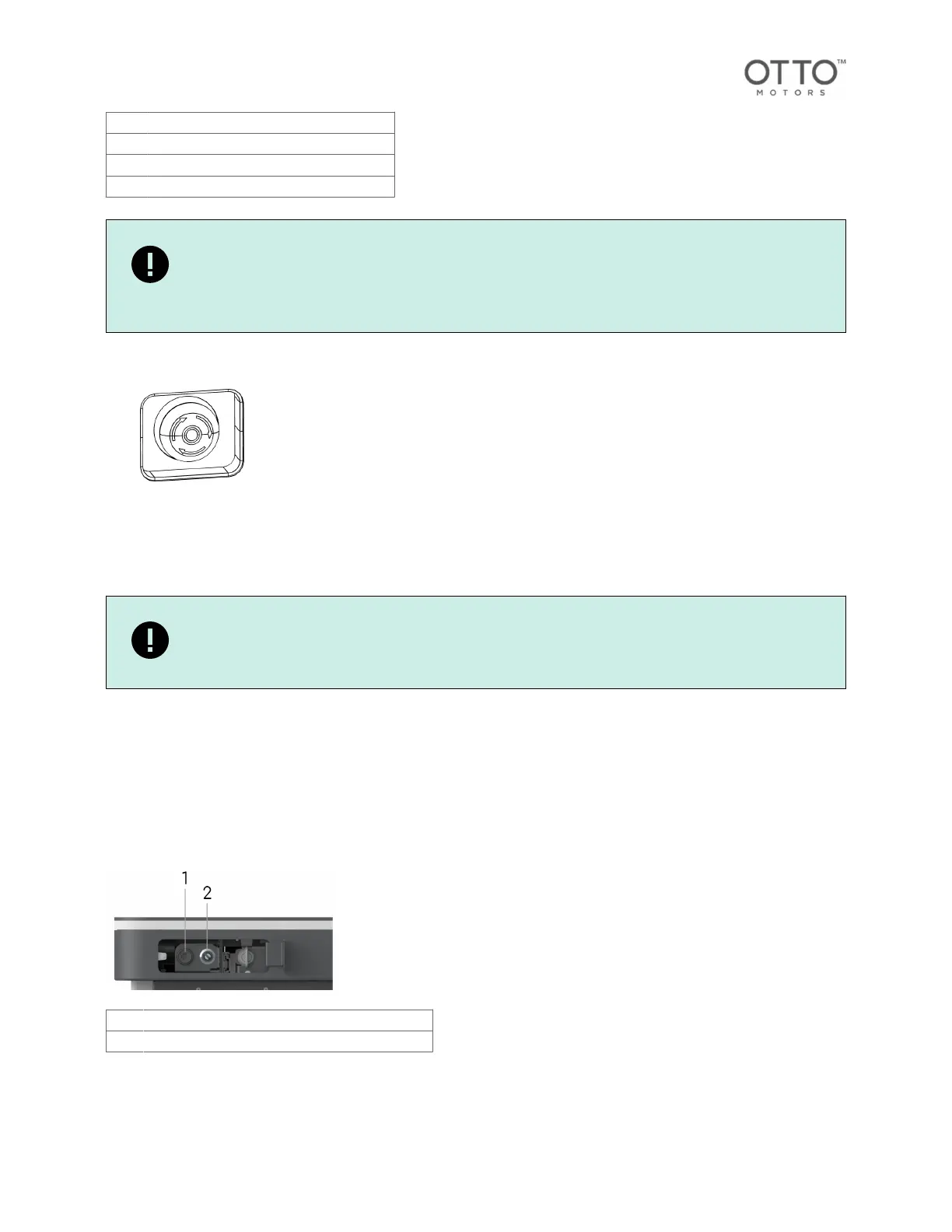
Front controls
Access to the front controls is enabled through an access panel with a push-push mechanism.
1 Ethernet connection for service purposes
2 Key Switch (starting up [38]/shutting down [38])
Rear controls
Access to the rear controls is enabled through an access panel with a push-push mechanism.
OTTO 600 - OMM-000117-A
© Clearpath Robotics Inc. 2024. All rights reserved. CLEARPATH and OTTO are trademarks of Clearpath Robotics Inc.
All other product and company names listed are trademarks or trade names of their respective companies. 28



 To Next Page