See the Components Overview [26] for more detail on 3D perception camera locations.
9.9.Maintenance drawers
The AMR is equipped with maintenance drawers to allow access to AMR components without having to
remove the cover plate and any present attachment.
The maintenance drawers are opened and closed using two latches each. The latches are located behind
flaps with a push-push mechanism.
The front drawer contains the electrical components such as the safety controller and the robot computer.
The rear drawer contains the batteries.
When the drawers are open, the side panel can be opened. The locks for the side panel are also located
behind flaps with push-push mechanism. After opening the locks, the side paneling can be unhooked to
the side to allow free access to the inside of the AMR.
9.10.Pendant
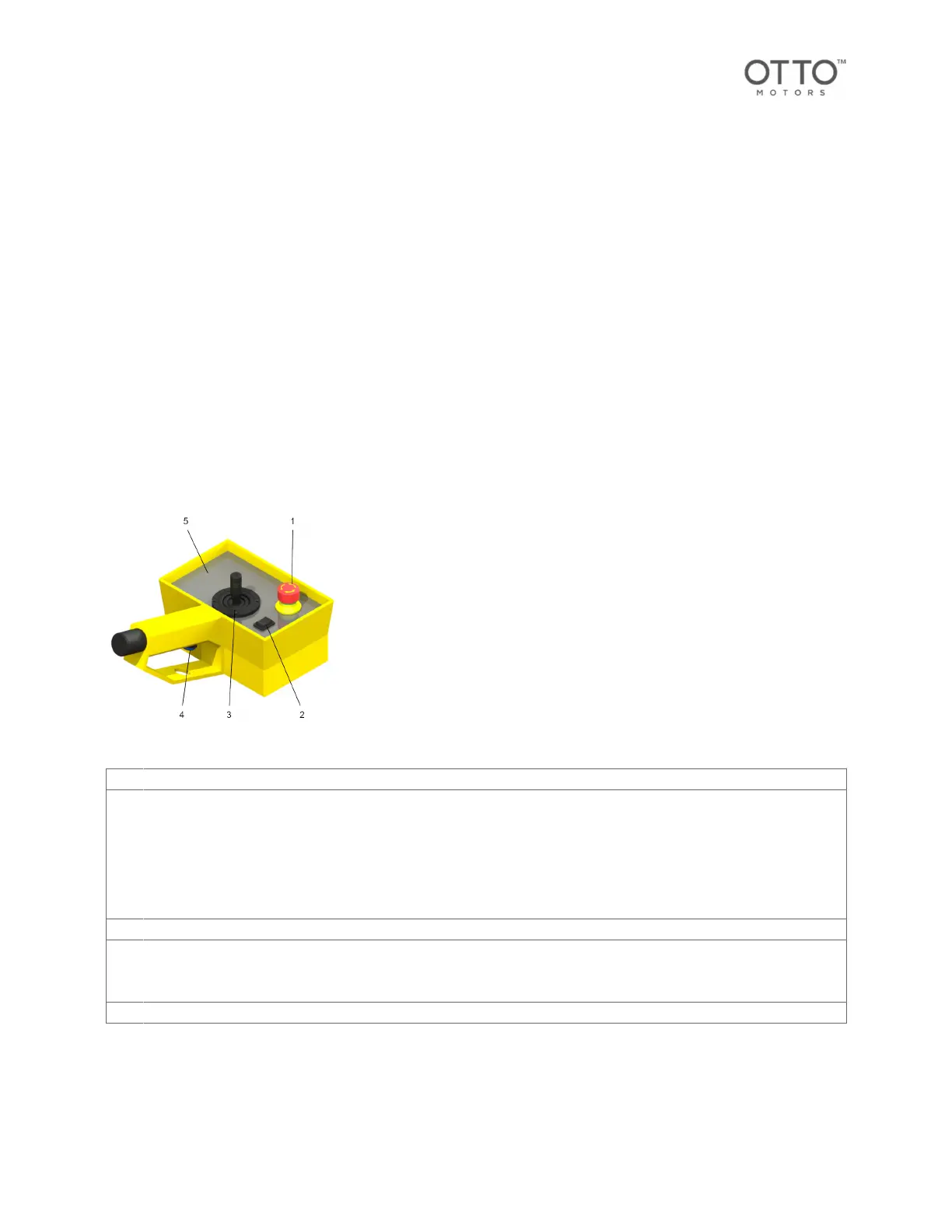
The pendant allows for control of the AMR in Manual Mode.
1 Emergency Stop button
2 Movement Mode Selector
The movement mode selector is used to switch between the various movement modes. Repeatedly pressing the selector switch
up or down cycles through the movement modes:
•
Forward/rearward movement
•
Sideways movement
•
Moving the lifting device
3 Joystick
4 Release button
To operate the AMR in Manual Mode, the Release button must be pressed and held. The AMR will cease all movement in
Manual Mode when the Release button isn't pressed.
5 Movement mode display
Pendant movement mode display
The movement mode display indicates the AMR Manual Mode selected using the Movement Mode
Selector.
OTTO 600 - OMM-000117-A
© Clearpath Robotics Inc. 2024. All rights reserved. CLEARPATH and OTTO are trademarks of Clearpath Robotics Inc.
All other product and company names listed are trademarks or trade names of their respective companies. 35



 To Next Page