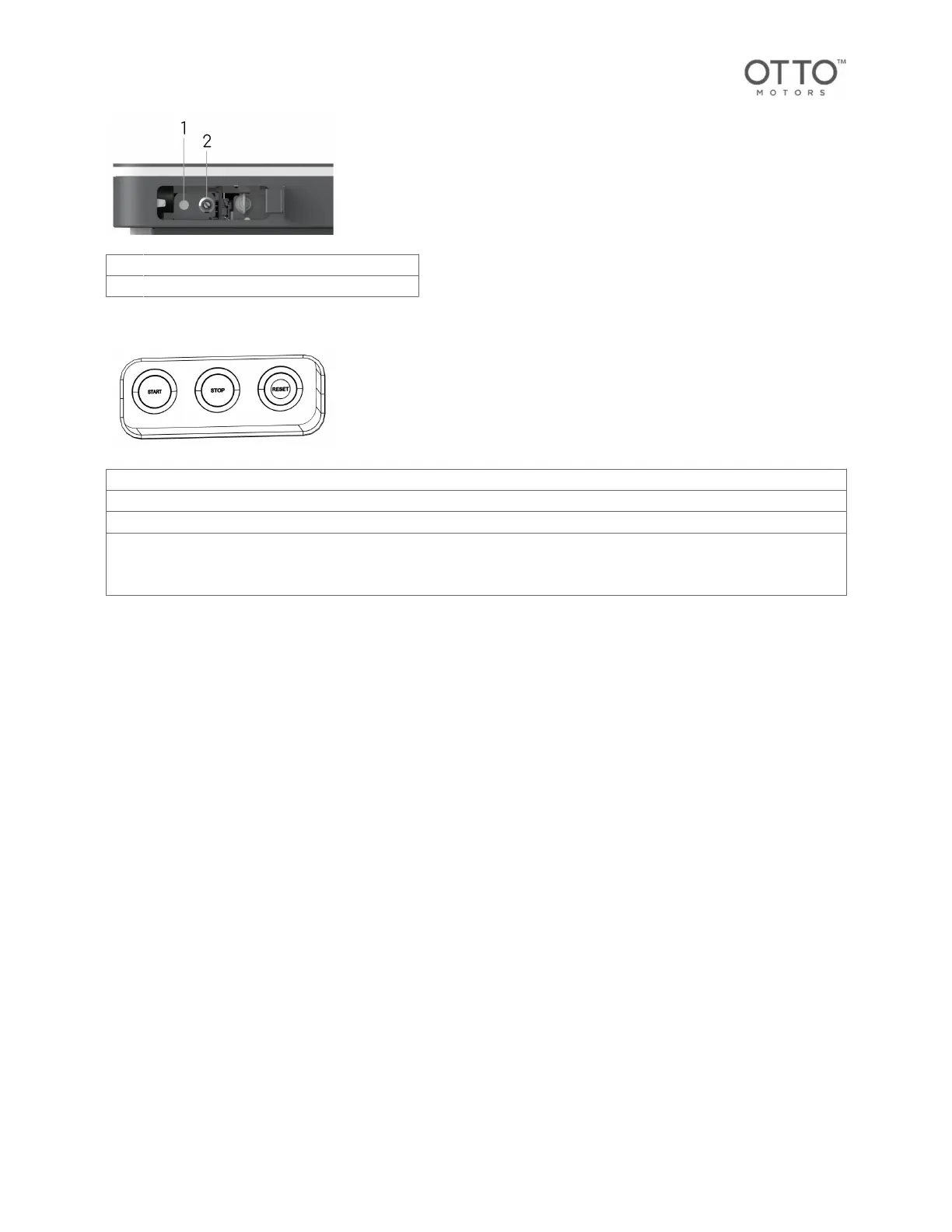
1 Manual Mode pendant connection
2 Key Switch (Manual Mode/Autonomous Mode)
Side controls
Button Description
START The Start button is used to put the AMR back into operation after interacting with it.
STOP Stops the AMR's current action until the Start button is pressed to resume it
RESET Pressing the Reset button when all Emergency Stop buttons are no longer pressed will reset the system and return power
to the motion controls.
The button flashes when the AMR has entered an emergency stop state.
9.4.Attachment mounting points
The AMR has a standardized interface that can be used to connect various load handling attachments
mechanically and electrically.
See the Components overview for the location of the attachment interface on the AMR.
Mechanical interface
The mechanical interface includes several attachment mounting points with which a load-handling
attachment can be mechanically fastened to the AMR.
All attachment mounting points are available for use when mounting an attachment; however, note that
at least two/opposite mounting points must be used to keep the top plate mounted to the chassis of the
AMR.
In the following example, if A is selected for use as a top plate mounting point, the corresponding/
opposite mounting point must also be used at a minimum. If B is selected, the corresponding/opposite
mounting point must also be used at a minimum.
OTTO 600 - OMM-000117-A
© Clearpath Robotics Inc. 2024. All rights reserved. CLEARPATH and OTTO are trademarks of Clearpath Robotics Inc.
All other product and company names listed are trademarks or trade names of their respective companies. 29



 To Next Page