Name Description Visual indication
Hazard
The AMR is
entering what
it considers a
narrow
pathway.
Safety fields
are reduced in
size.
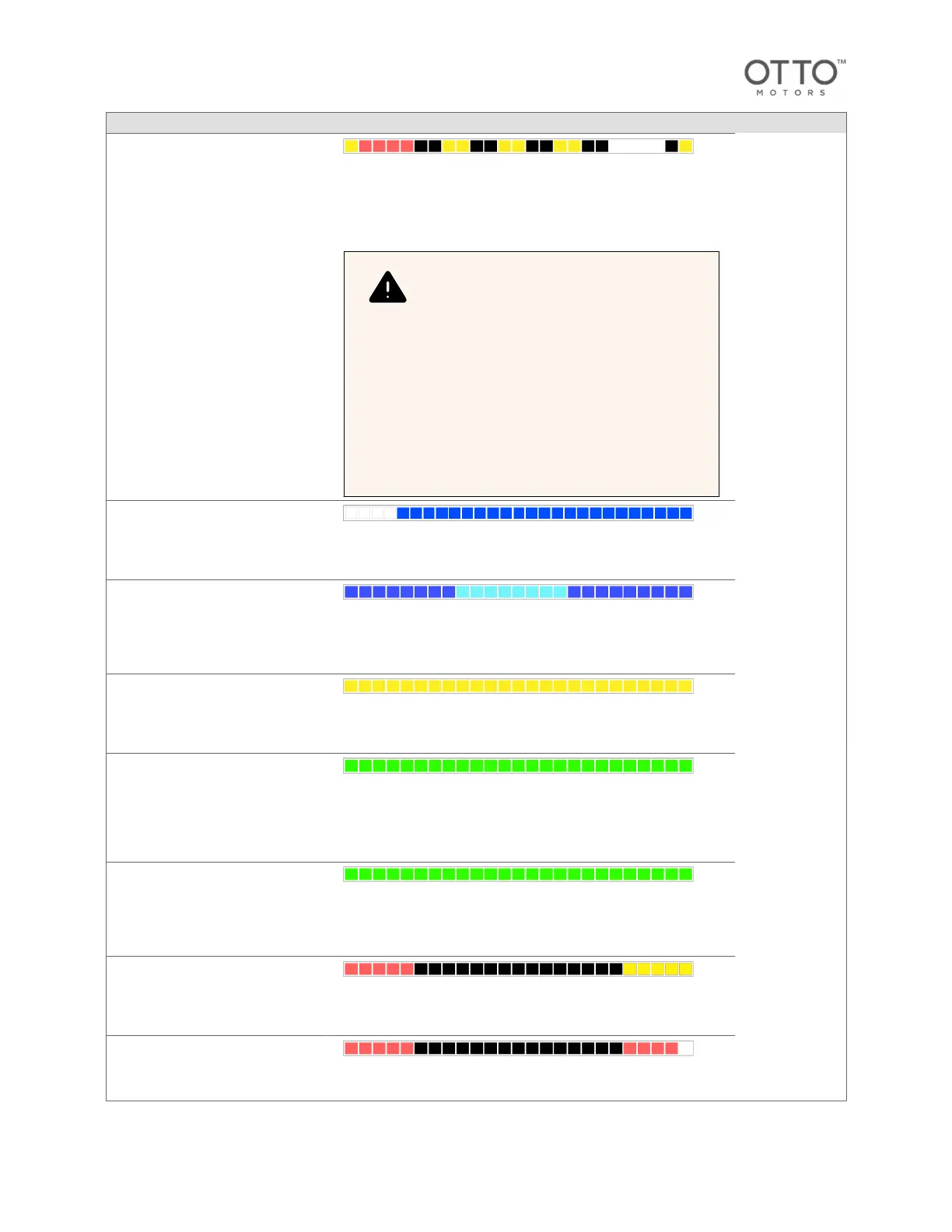
Front solid dull white
Rear solid red
Blinking yellow stripes
WARNING
CRUSH HAZARD! Pedestrians should be aware
of hazard mode or docking mode audio-visual
indications. When robots are in docking mode,
the front of the robot is no longer safeguarded—
personnel must be restricted from areas where
robots will be docking. When robots are in
hazard mode, the region safeguarded by LiDAR
safety scanners is reduced in size. Under rare
circumstances, robots can get mislocalized and
enter docking hazard mode in an unintended
location. For audio-visual indicator identification,
refer to the component overview section of the
robot operation and maintenance manual.
Remote
control
The AMR is
being manually
controlled
using OTTO
App.
Full solid blue
Front dull white
Manual
control
The AMR is
being
controlled
manually using
its tiller/
pendant.
Full solid blue, rear pulsing light blue
Attachment
activated
The AMR has
activated its
attachment or
its integrated
lift.
Full pulsing yellow
Working in
place
The AMR's
movement is
locked as it
waits for
further input
from a user or
attachment.
Full solid green
Waiting for
input
The robot's
movement is
locked as it
waits for
further input
from a user.
Full pulsing between white and green
Blocked
The AMR is
blocked from
proceeding on
its planned
path.
Front flashing yellow
Rear solid red
Safety stop
The AMR has
entered a
safety stop
state.
Corners flashing red
OTTO 600 - OMM-000117-A
© Clearpath Robotics Inc. 2024. All rights reserved. CLEARPATH and OTTO are trademarks of Clearpath Robotics Inc.
All other product and company names listed are trademarks or trade names of their respective companies. 33



 To Next Page