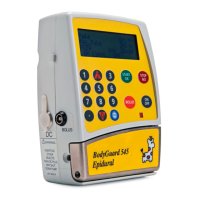
BodyGuard 595™Color Vision Operator Manual
NOTE: entry of all parameters is via the numeric keypad. Only the protocol
selection, concentration, limits setting are a scroll option menu using the up and
down arrows. The previous value will be displayed. Enter the new value which will
automatically delete the previous value. If you make an error while entering data,
pressing the key will delete the previous digit. Repeat as necessary.
To Modify Protocol
Press to operate the pump.
The following screen will appear.
The screen than will prompt for level one code. Enter code 700 and press
From the menu select "Modify Protocol Library"
by scrolling with the arrow keys and pressing
.
The pump will prompt for code.
Enter relevant code using the numerical keypad.
BodyGuard 595
Color Vision Pain Manager
Pump Serial Number: V123456
Production Date: 1-Jan-2000
Software Version
BGCV595_01 L
Protocol Sample
PCA 10:00 - 70% █
■
View Shif t Totals
View Patient History
View Ev ent Log
Clinician Bolus
View Set up
Modify Protocol Library
Change Set up
Press - Exit Menu
Select , and press
Level Three Code
**********
Enter and Press Key


 To Next Page
 Loading...