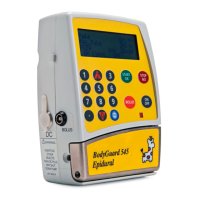
BodyGuard 595™Color Vision Operator Manual
The BodyGuard 595 Color Vision™ has 26
protocols (A-Z), which are divided between PCA
10 protocols (A-J)
Epidural 8 Protocols (K-R)
Regional 8 Protocols (S-Z)
The current selection is highlighted in red.
NOTE: once the user selects one of the three options the pump will
display ONLY the dedicated title bar color, until select otherwise.
To change or enter a protocol name to an
empty slot, scroll and select the target protocol
letter and press . Select infusion mode and
press . The relevant protocol will be
displayed. Press again to edit.
NOTE: the 26 protocols are divided into 3 groups: PCA, Epidural and Regional
in that order. If the user will set protocol A to Epidural, the pump will not allow
setting of PCA protocols.
Press continuously to delete the current
protocol name until the cursor is at the left side of
the display. Even if the name appears empty you
must still perform this step as the line is full of
blank spaces.
PCA 10:00 - 70% █
■
A: MORPHINE :
B:
C:
D:
E:
F:
G:
Select , and press
EPIDURAL 10:00 - 70% █
■
K: BUPIVICAINE :
L:
M:
N:
O:
P:
Q:
Select , and press
REGIONAL 10:00 - 70% █
■
S: FENTANYLCITRATE :
T:
U:
V:
W:
X:
Y:
Select , and press
PCA 10:00 - 70% █
■
Protocol A Drug Name
MORPHINE
Press Key to Confirm
Press Key to Edit
PCA 10:00 - 70% █
■
MORPHINE
ABCDEFGH1234+-
IJKLMNOPQ5678%&
RSTUVWXYZ90.,:/
Abcdefghijklmno
pqrstuvwxyz@()
Use to Edit


 To Next Page
 Loading...