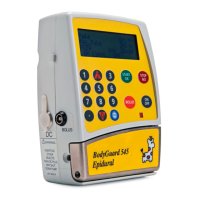
BodyGuard 595™Color Vision Operator Manual
Enter VTBI in ml. to change any numeric program
parameter just enter the numbers which will
replace the previous values and this will overwrite
the previous value. If you make a mistake press
which will delete the last digit. Press
when correct value is entered.
Scroll and select between mL only and
concentration units. Press to confirm.
Set concentration value. Press to confirm.
NOTE: the rate now will be set in the relevant units.
Change the initial rate using the numeric keypad.
If the rate step does not appear then the maximal
rate under "Change Set Up" has been set to
0ml/hr to prevent users from delivering regimes
with a continuous element. If you have the
authority to change this go to "Change Set Up"
(see later section). If the desired rate for the
protocol you are editing is in ml/hr then enter the
rate and press to accept. Press to
confirm.
NOTE: the BodyGuard 595 Color Vision™ is capable of continuous (basal) rates
of up to 100ml/hr. User can enter a maximum basal rate in "Change Set Up"
using level three access code to ensure other users can not accidentally
program the pump to deliver above the safe ceiling for your commonly used
drugs.
PCA 10:00 - 70% █
■
A: MORPHINE
Concentration
mL Only
mcg :
mg
Select , and press
PCA 10:00 - 70% █
■
A: MORPHINE
Concentration
100 mcg/mL
Enter and Press Key
PCA 10:00 - 70% █
■
A: MORPHINE
Volume To Be Infused
100 mL
Enter and Press Key
PCA 10:00 - 70% █
■
A: MORPHINE
Initial Rate
2 mL/hr
Enter and Press Key


 To Next Page
 Loading...