To wall-mount the telephones,
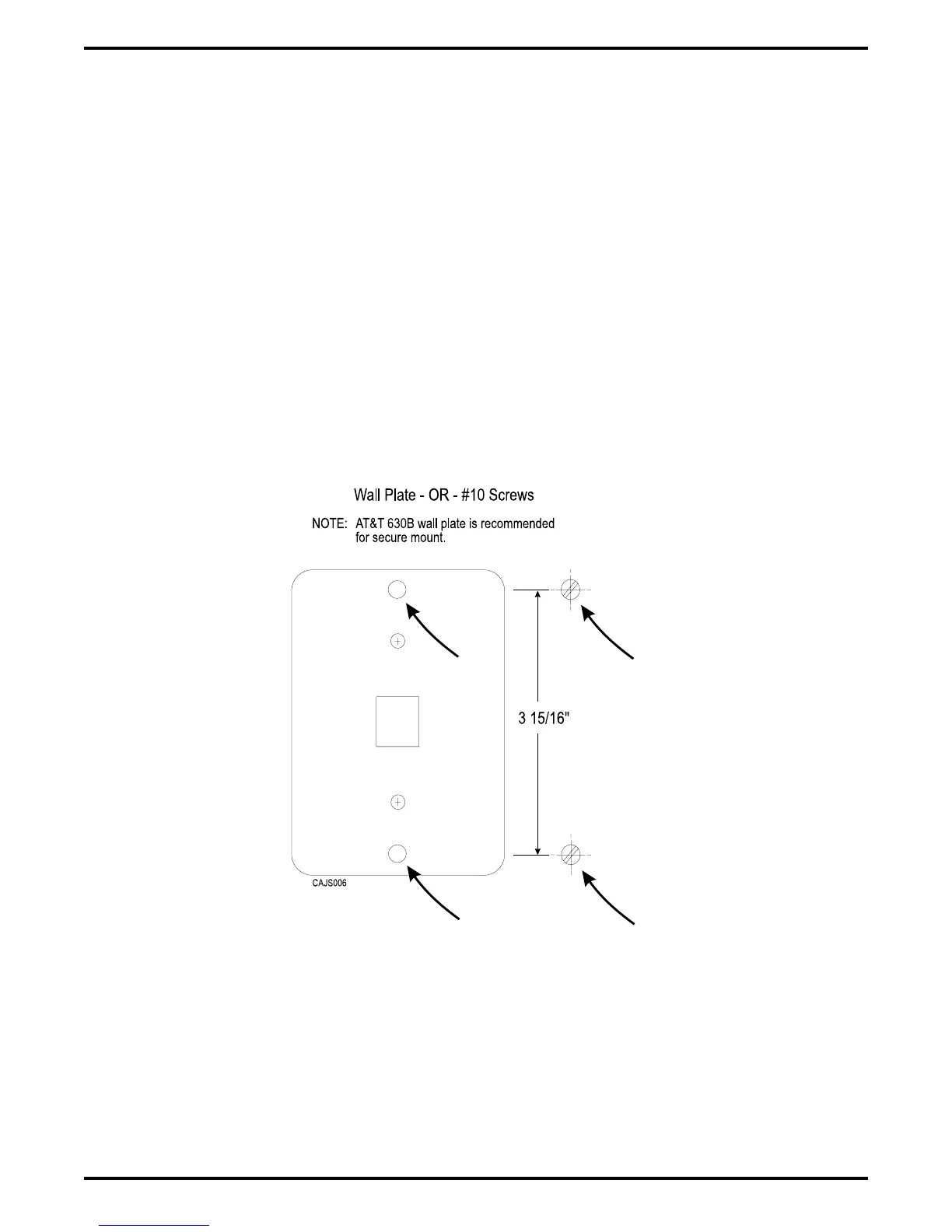
After configuring a telephone for wall mounting, either mount it directly on the wall using two
#10 panhead screws (obtained locally), or mount it on a wall jack cover plate. If using a wall
jack cover plate, use an AT&T type 630B wall plate for best results.
1. If #10 screws are used, thread them into the wall within 1/8-inch of the surface. Refer to
Figure 2–9 for the spacing dimensions.
2. Position the keyhole-shaped holes in the bottom of the telephone over the #10 screws or the
cover plate studs. Slide the telephone down until a slight click is felt.
3. To remove the telephone, lift to unsnap both screws or studs from the bottom housing, and
then lift away from the wall.
Figure 2–9: Station Wall Mounting
Details
IMI66–107 Digital Telephone System
Installing The DSU 2 – 25



 To Next Page