NEW INSTALLATION
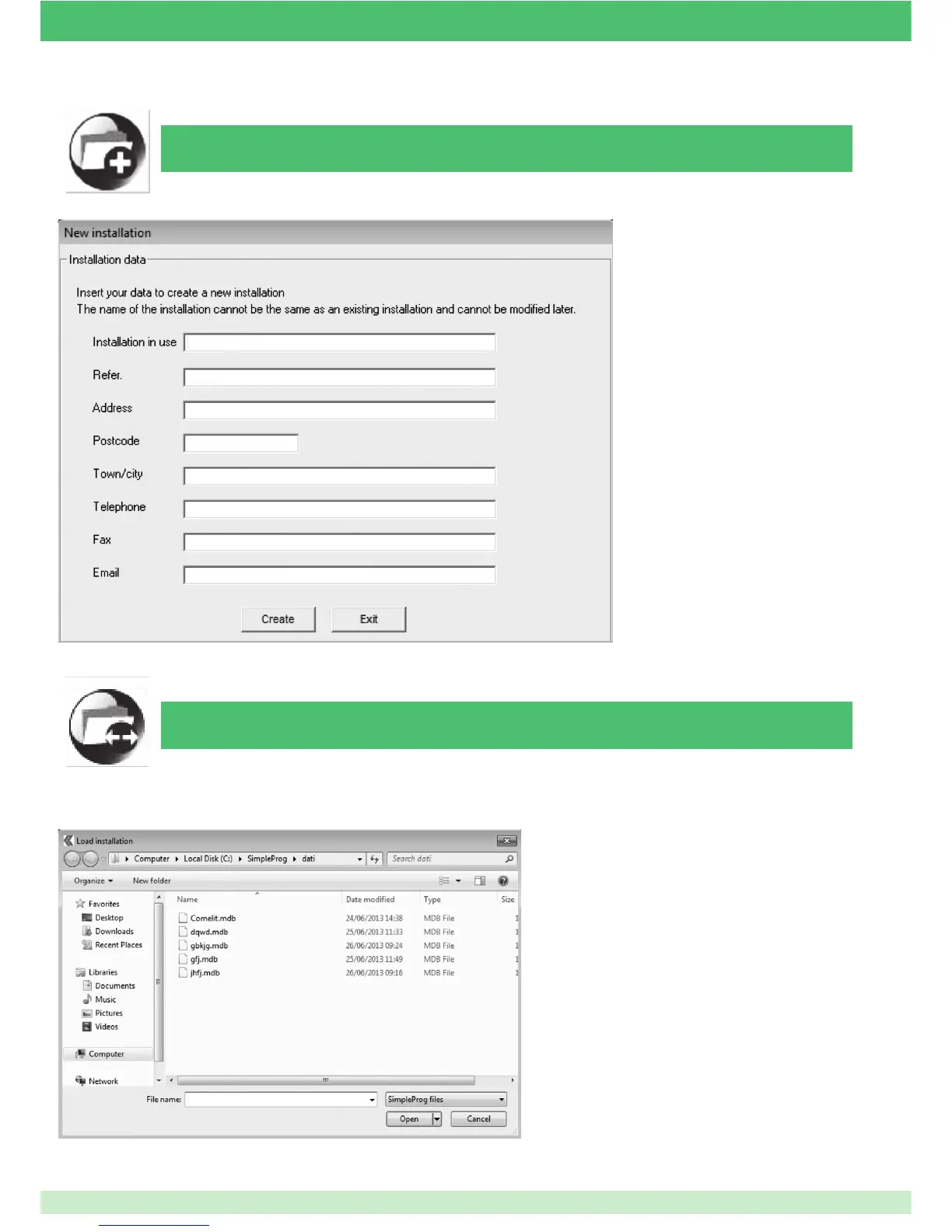
After clicking on the command, the following screen will appear:
To continue, you must ll in all the elds
(these are required to make the system
unique and traceable). At this point, if
everything has been entered correctly,
con rm by clicking "Create", or cancel
everything and return to the main
screen by clicking "Exit".
If the data is con rmed, the "tree
menu screen" (described in the
chapter "TREE MENU SCREEN AND
MODULE PROGRAMMING") will
appear, from which it will be possible
to con gure the system created (and
recon gure it as necessary).
OPEN INSTALLATION
It is always possible to load a con guration created previously, in order to modify it and reuse it in another system.
After clicking on the command, the following screen will appear:
Search for the desired le in your own archive folder
and load it by double-clicking on it, or highlight it
by clicking on it once and selecting "Open": at this
point the "tree menu screen" will appear, showing
all the data and modules previously con gured, and
everything can be reprogrammed by following the
instructions provided in the chapter "TREE MENU
SCREEN AND MODULE PROGRAMMING".
OPEN INSTALLATION
53



 To Next Page